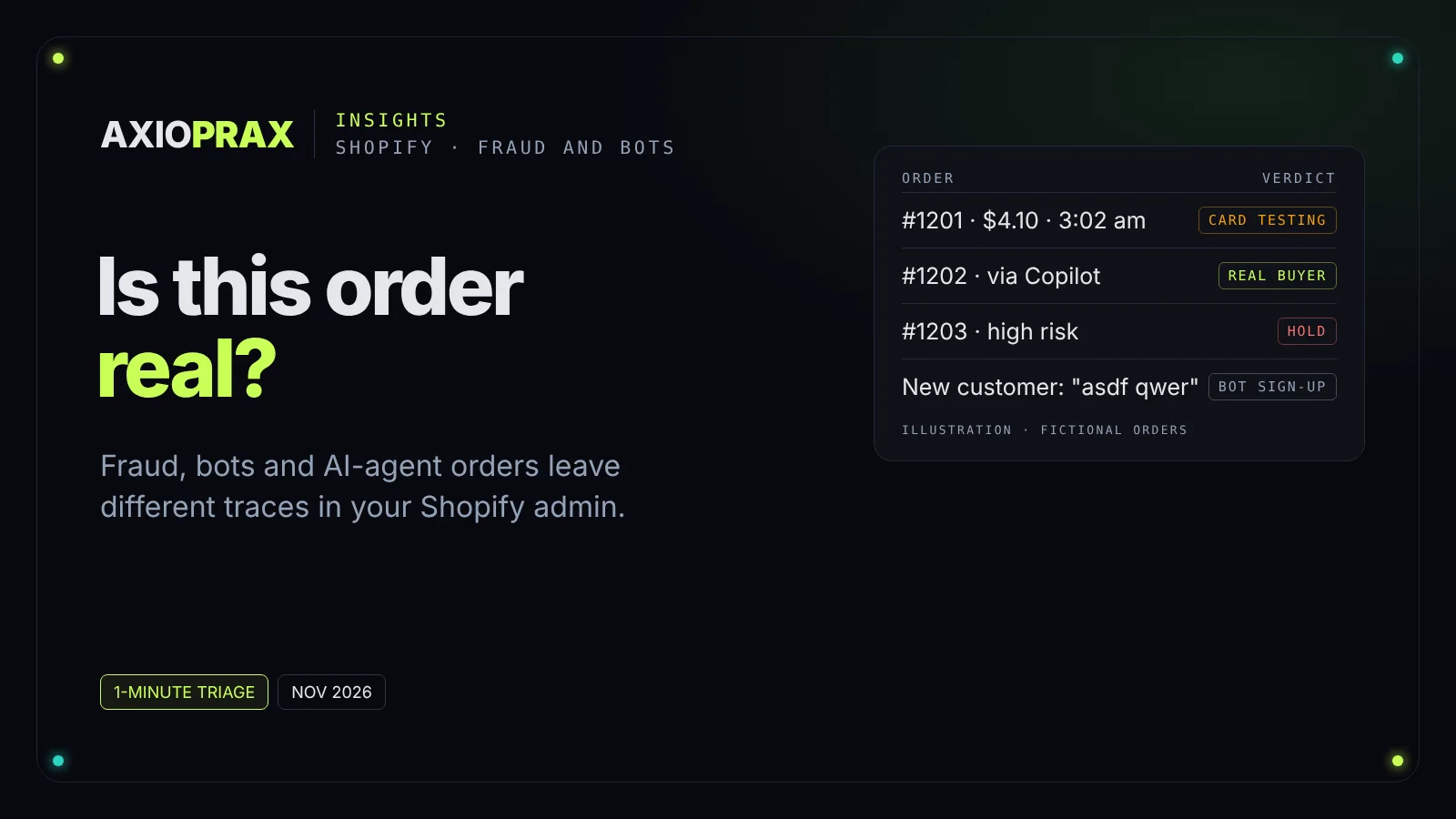
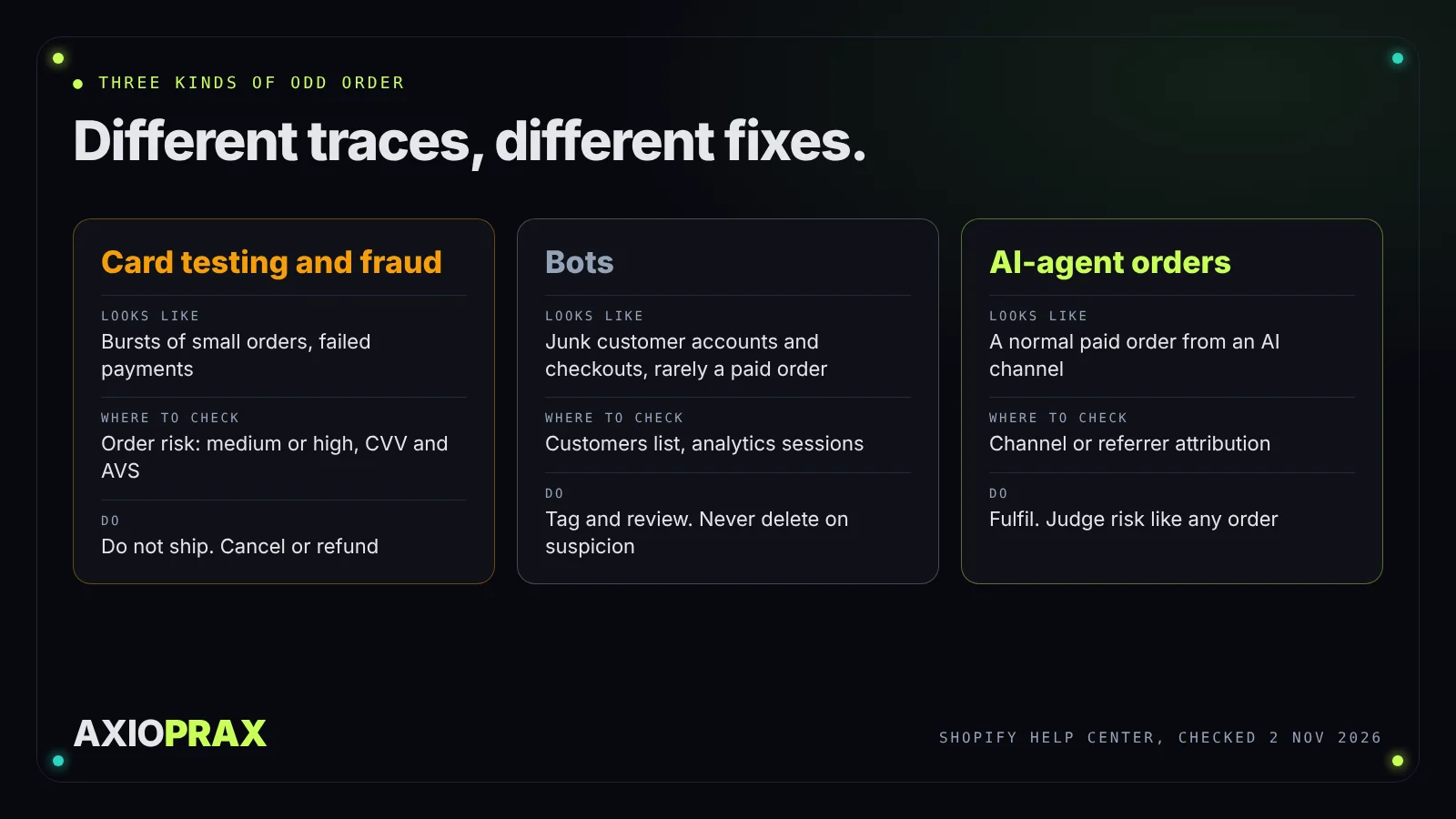
Three kinds of order make store owners stop and stare at the screen. A burst of tiny orders at 3 am. A customer list full of names nobody recognises. And, newer, an order that came in through an AI chat instead of your own website. The first is usually fraud, the second is usually bots, and the third is usually a real customer. Treating them the same way costs you money in both directions: you ship to fraudsters, or you cancel a genuine buyer.
This piece shows how to tell them apart with what Shopify already gives you in the admin, and what to do with each. Every Shopify fact comes from Shopify's own help pages and announcements, opened on 2 November 2026. Where we mention our own tests, they ran on our demo store with a fictional shop and synthetic data.
How do I check whether a single order is fraud?
Open the order and look at the Order risk section. Shopify runs fraud analysis on online credit card orders that Shopify can verify
and rates the risk of a chargeback due to fraud as low, medium or high. Medium and high risk orders are also flagged with a warning symbol on the Orders page (Shopify Help Center, fraud analysis).
The section also lists indicators, such as whether the card passed Address Verification System (AVS) checks, whether the customer entered the correct CVV, a location mismatch between the customer and the payment method, unusual device or network activity, and more than one card attempted. Shopify warns that individual indicators don't represent the order's overall risk level, so read the recommendation, not one red line.
Two limits to know. The recommendation itself needs the Grow plan or higher, or Shopify Payments; indicators show from the Basic plan up. And some orders get no recommendation at all, including test, free, B2B, Point of Sale and subscription renewal orders.
On 28 October 2026 Shopify widened Shopify Protect. It says Protect is on for every business on Shopify Payments, declines payments it is near-certain are fraud before they reach the bank, and gives every order that comes through a plain-language explanation of its risk (Shopify blog, Introducing Shopify Protect). That means the orders you now see have already passed a stricter filter, and the ones flagged medium or high deserve a real look.
What else gives a fraud order away?
Shopify's own fraud prevention page lists signs worth checking on any order that feels wrong (Shopify Help Center, preventing fraud):
- The customer's IP address is far from where they say they are, belongs to a web hosting company, or is a proxy.
- The phone number is invalid. Calling the customer is a fair test.
- The email address appears in documented fraud reports.
- The shipping address is far from the billing address. Gifts can legitimately differ, so this is a reason to look, not to cancel.
- Several orders with different billing names and states ship to the same destination.
What does card testing look like?
Card testing is someone running stolen card numbers through your checkout to find which ones work. Shopify describes the pattern as many small payment attempts at once, attempts to save card details rather than buy, and a surge of declined transactions that can also push up your decline rate for real customers.
Most attempts fail, so they never become orders. Shopify says checkout attempts it identifies as suspected card testing or bot activity aren't included in abandoned checkouts. The few that succeed are the problem: they look like small, normal orders, and if you ship them, the chargebacks follow.
If you see a burst, our fix walks through it step by step: how to catch card-testing orders on Shopify. In short, switch card payments to manual capture, let a free Shopify Flow template capture only orders that are not high risk, decline charges that fail CVV, and block repeat sources with Fraud Control.
Are bots placing orders in my store?
Mostly not. Bots usually leave traces before an order: sessions in your analytics, junk customer accounts from sign-up forms, and checkouts nobody finishes. Shopify's bot filtering is about analytics. It applies only to session metrics and filters identified bot sessions out of session reports by default, and Shopify says it does not block bots from your site, because that would hurt search indexing and social sharing (Shopify Help Center, bot filtering).
So the bot problem shows up in your customer list and your email bill, not your orders. On our demo store, a Shopify Flow workflow tagged 17 of 17 imported bot-like customers as suspected-bot and none of the 4 genuine ones, and removed the bot tags when a tagged customer placed an order (our Bot Cleanup demo build). The rule we follow: tag, review, never delete on suspicion alone.
What does an AI-agent order look like?
Like a normal order with a different source. Shopify's agentic storefronts let shoppers find and buy your products in AI channels, and the feature is active by default for eligible stores. Google AI Mode and Gemini, Microsoft Copilot and Meta can take the order inside the chat through a Shopify-powered direct checkout when direct checkout is on, while ChatGPT sends the shopper to your own checkout. Shopify says orders from AI channels show in your admin with channel or referrer attribution
, and orders customers place through personal AI agents show with attribution to the agent
(Shopify Help Center, agentic storefronts).
Two things follow. First, an AI channel name on an order is not a fraud signal by itself. Behind it is a person who asked an assistant to buy something, and Shopify says you keep full ownership of that customer relationship. Second, the order still has a payment, so judge it the way you judge any order: its risk level, its indicators and its pattern. Shopify's agentic pages don't describe a separate fraud check for agent orders, so we would not assume one.
Our full guide covers which channels sell, where the settings sit and how to switch them off: can AI agents buy from your Shopify store?
How do I sort an order in under a minute?
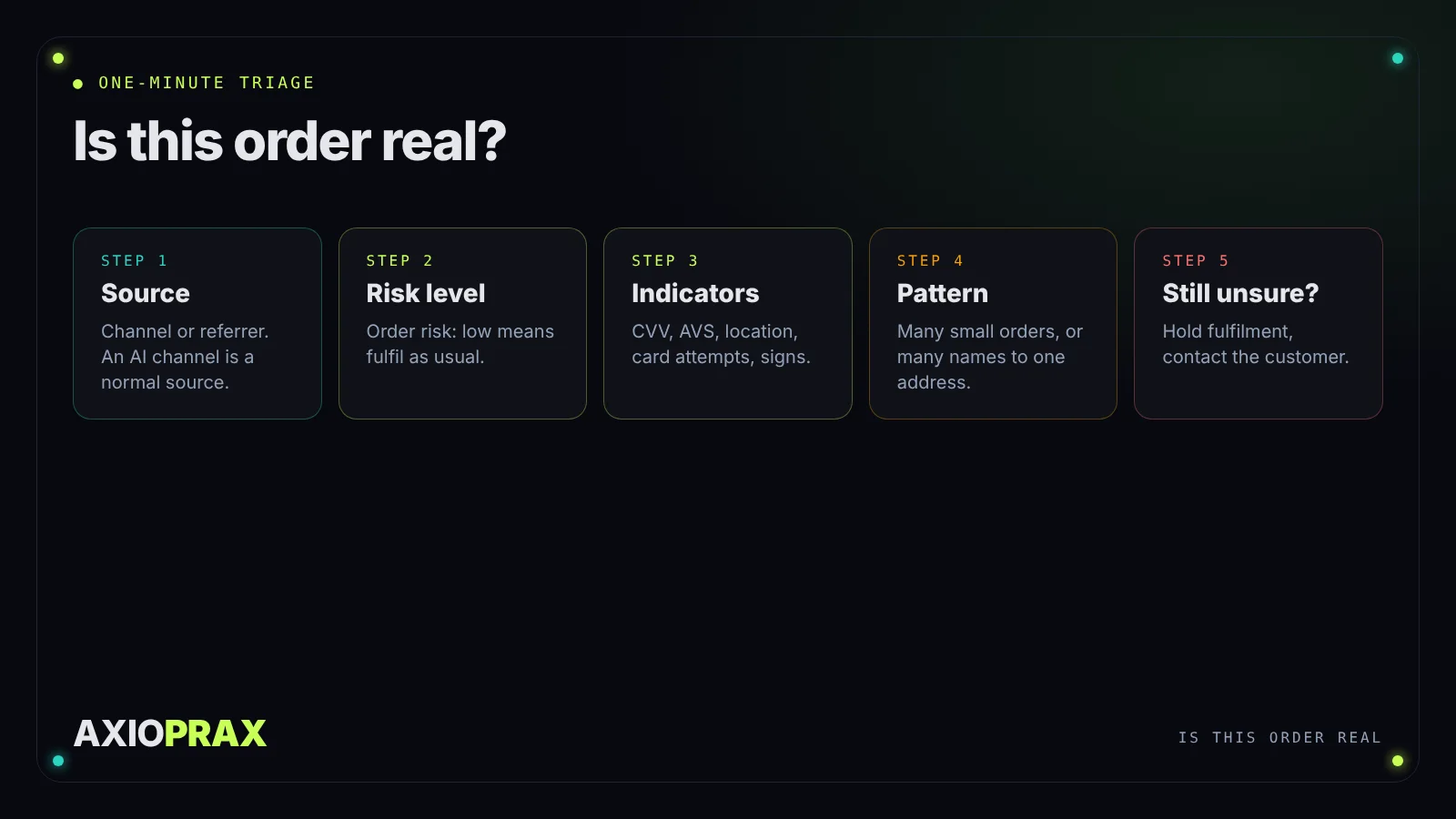
- Where did it come from? Check the order's channel or referrer attribution. Your online store, an AI channel and Shop are all normal sources.
- What is the risk level? In the Order risk section, low risk with no warning symbol means fulfil as usual.
- What do the indicators say? For medium or high risk, read the CVV and AVS results, location mismatch and card attempts, then the signs above.
- Is it part of a pattern? Many small orders in a short time, or several names shipping to one address, point to card testing or a repeat fraudster.
- Still unsure? Hold it. Shopify's Hold fulfillment order action in Flow changes the order's status to On hold, and orders with that status aren't fulfilled until the hold is removed (Shopify Help Center, Hold fulfillment order). Contact the customer, then release or cancel.
What should I do with each kind?
- A real order from any channel, including AI: fulfil it. Answer its questions like any other customer's.
- A likely fraud order: don't ship it. For high-risk orders Shopify says you can verify the order, cancel it or refund it. Shopify also notes the bank that issued the card decides any reversal, not Shopify, so the earlier you stop a bad order, the better.
- Card testing: follow the card-testing fix above, and check our repeat fraudster fix if the same details come back.
- Bot sign-ups: tag and review, then suppress them in your email tool so you stop paying to email them.
- Not sure: hold fulfilment for a named person to check. That is what our Fraud Hold kit sets up in Shopify Flow.
When is this not enough?
None of this guarantees you won't get a chargeback. Shopify says the decision to reverse funds is made by the bank that issued the card, and that Shopify doesn't cover charge reversals from banks. Shopify Protect is the exception, for the orders it covers. If you are already fighting a dispute, open the order in your admin, check the due date on the chargeback banner and send your evidence before it.
And if you use a payment provider other than Shopify Payments, several of the tools here behave differently: Shopify says card testing protection and proxy detection are only for Shopify Payments stores, its 28 October announcement turns Shopify Protect on for businesses on Shopify Payments, and third-party gateways may not send fraud review updates back to Shopify.