Why tag repeat customers at all?
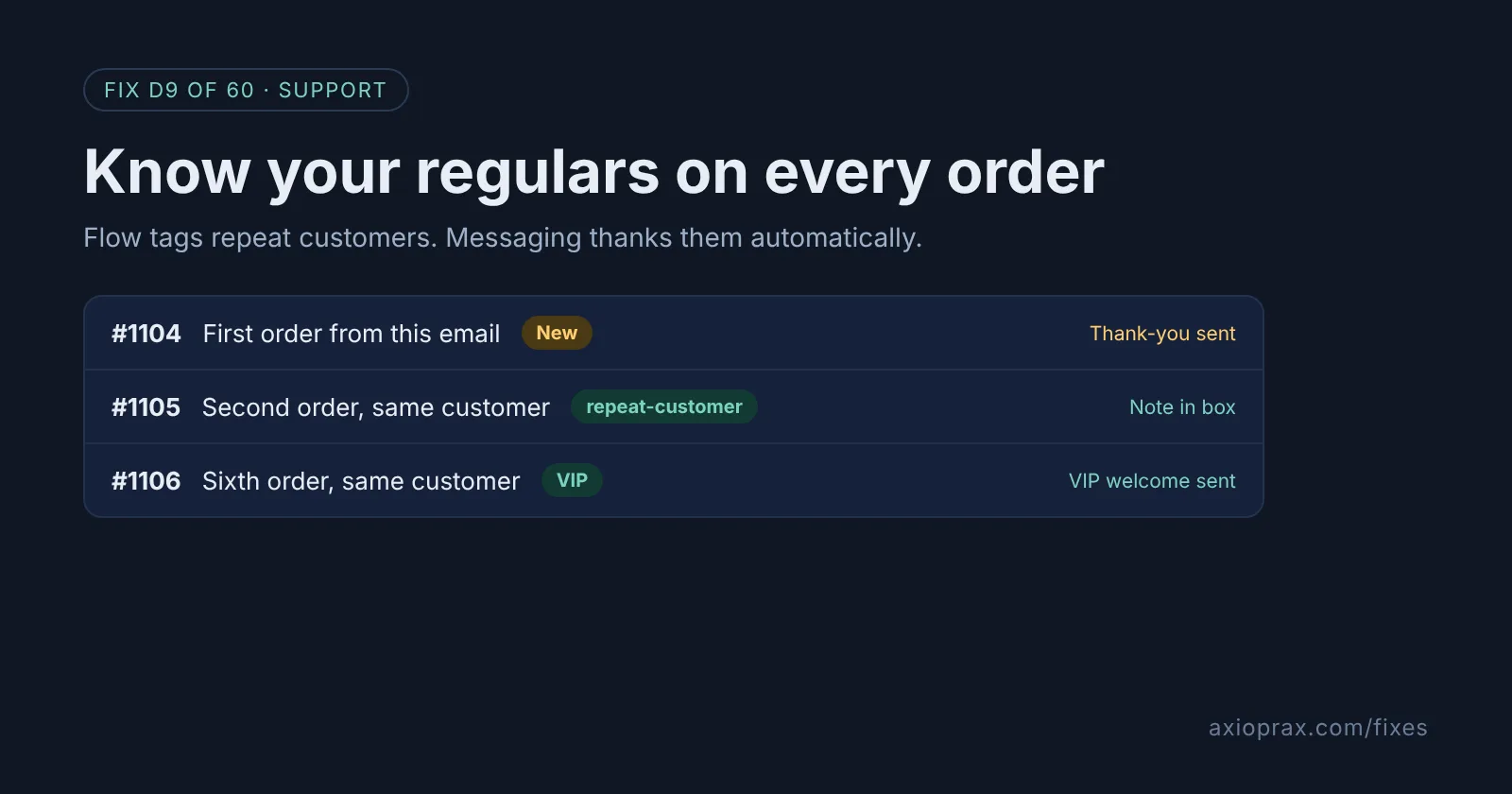
A customer on their second order has already trusted you once and come back. They are the people most worth a handwritten note in the box, a faster reply to their email, or an early look at a new product. But in a plain Shopify orders list, their order looks exactly like anyone else's.
A tag fixes that. Once the customer and the order carry a tag, your team can filter for it, your packing slip can show it, and Shopify's own marketing tools can treat these people differently. Shopify Flow adds the tag for you on every new order, so nobody has to remember.
How do I know I am missing this?
- You find out someone is a regular only when they mention it in an email.
- Your team cannot answer "how many customers came back this month?" without an export.
- Every customer gets the same order confirmation and nothing else, whether it is their first order or their tenth.
If any of those sound familiar, this takes about half an hour and runs on its own after that.
How do I fix it? (step by step)
Work through it with your Shopify admin open, and tick each step as you go.
0 of 6 done
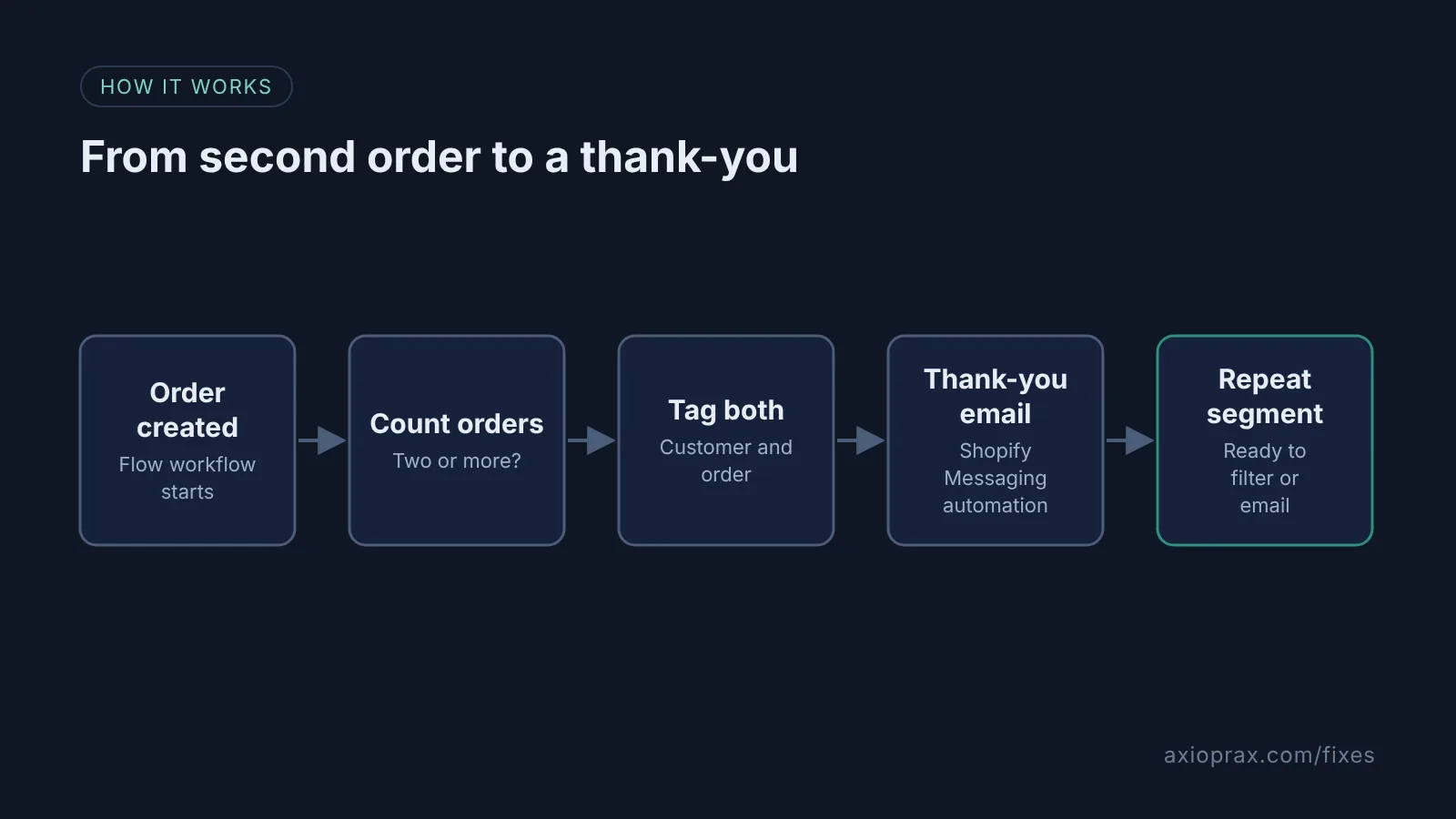
Create a Flow workflow on Order created.
Install the free Shopify Flow app if you do not have it, open it, and create a new workflow with the Order created trigger. Staff accounts, unlike the store owner, also need Shopify's Flow automations permission and Edit customers for the tagging step, set in Settings > Users > Roles.
Check the customer's order count.
Add a condition on the order's customer and pick the number of orders field. Set it to Greater than or equal to 2.
Tag the customer and the order.
On the true path, add the Add customer tags action with repeat-customer, then add the Add order tags action with repeat-order so the packing team sees it in the Orders list.
Turn on the thank-you automation.
From your Shopify admin, go to Apps > Messaging, click Automations, then Create automation, and choose Thank customers after they purchase under Post-purchase. Click Edit emails to write both in your own voice: Thank you! for a first order and We're happy to see you again for a second.
Send a test, then switch it on.
Click Send test and send it to yourself. When both emails read well, go back to the automation and click Turn on automation.
Save a segment of repeat customers.
In Customers > Segments, create a segment with the query customer_tags CONTAINS 'repeat-customer' so you can see and email this group any time.
What should I test before I trust it?
Place a test order as a brand new customer and check that no tag appears. Then place a second order with the same email and check the customer has repeat-customer and the order has repeat-order. Send the thank-you test email to your own inbox and read it on your phone. If you want the packing team to act on the tag, add a line to your packing slip template or agree a simple rule, such as a handwritten note in every repeat-order box.
When is this not the right fix?
If most of your orders come in as guest checkouts with different emails each time, Shopify cannot always join them to one customer, and the order count will undercount your regulars. If you already run an email platform with its own post-purchase flows, turn on the thank-you there instead, so customers do not get two. Tags only help if someone looks at them, so give one person the job of checking the segment each week.
What does it cost?
Shopify Flow is free. Shopify Messaging includes 10,000 free emails a month on every paid plan, and the thank-you automation counts toward that. Most small stores will not pay anything extra.
Want this set up for you?
We build this, the VIP tier and the packing slip line for free as part of the Founding 10, where we fix one Shopify problem for ten stores. For a wider look at how your store runs, start with the Store Ops Audit.