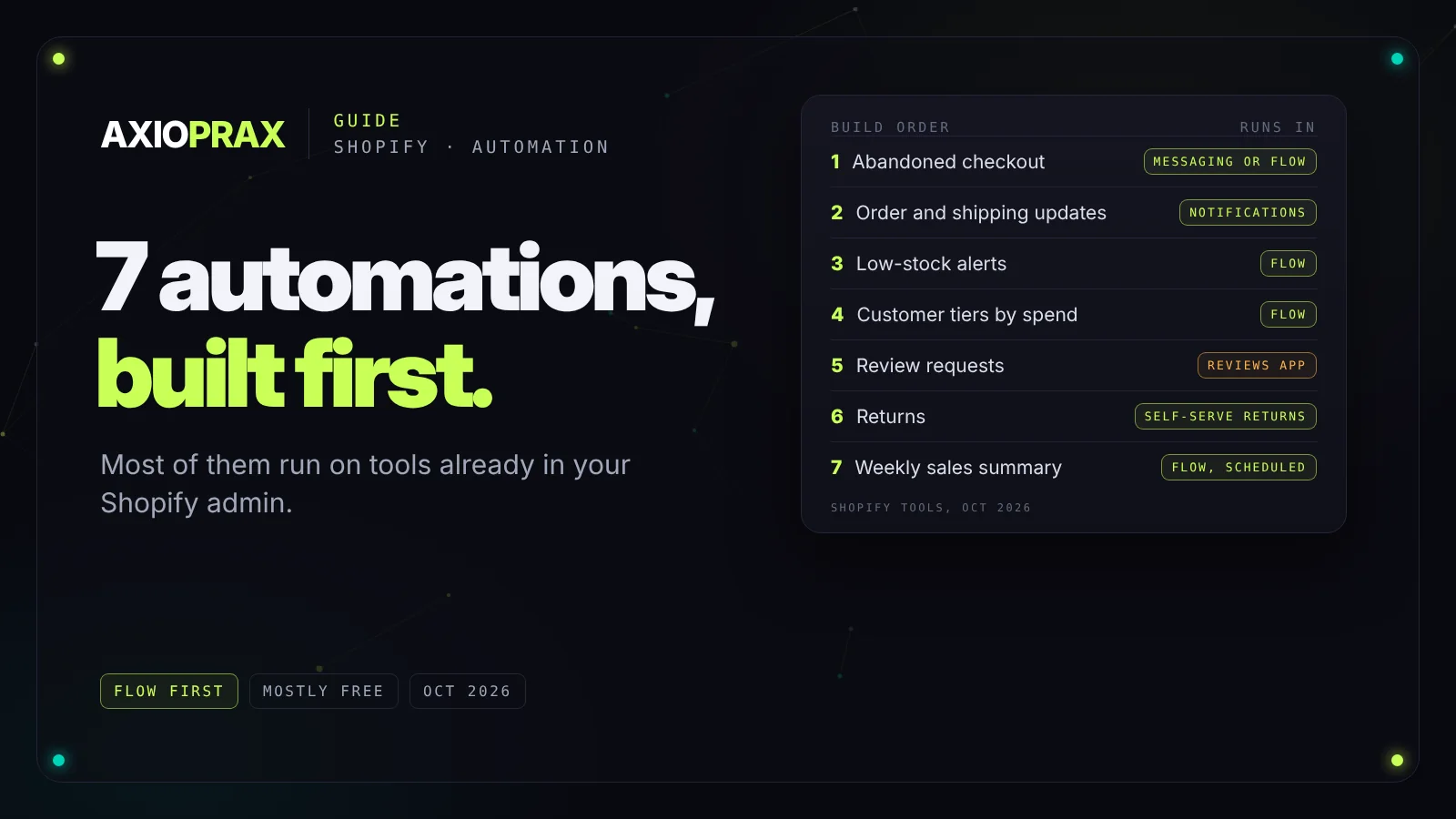
Most stores don't need a big automation project to stop the busywork. They need seven small jobs to run on their own, and most of those can be built with tools that are already in the Shopify admin. Here they are in the order we'd build them, with the tool for each, the detail that usually gets missed, and the point where a free setup runs out.
1. Abandoned checkout messages
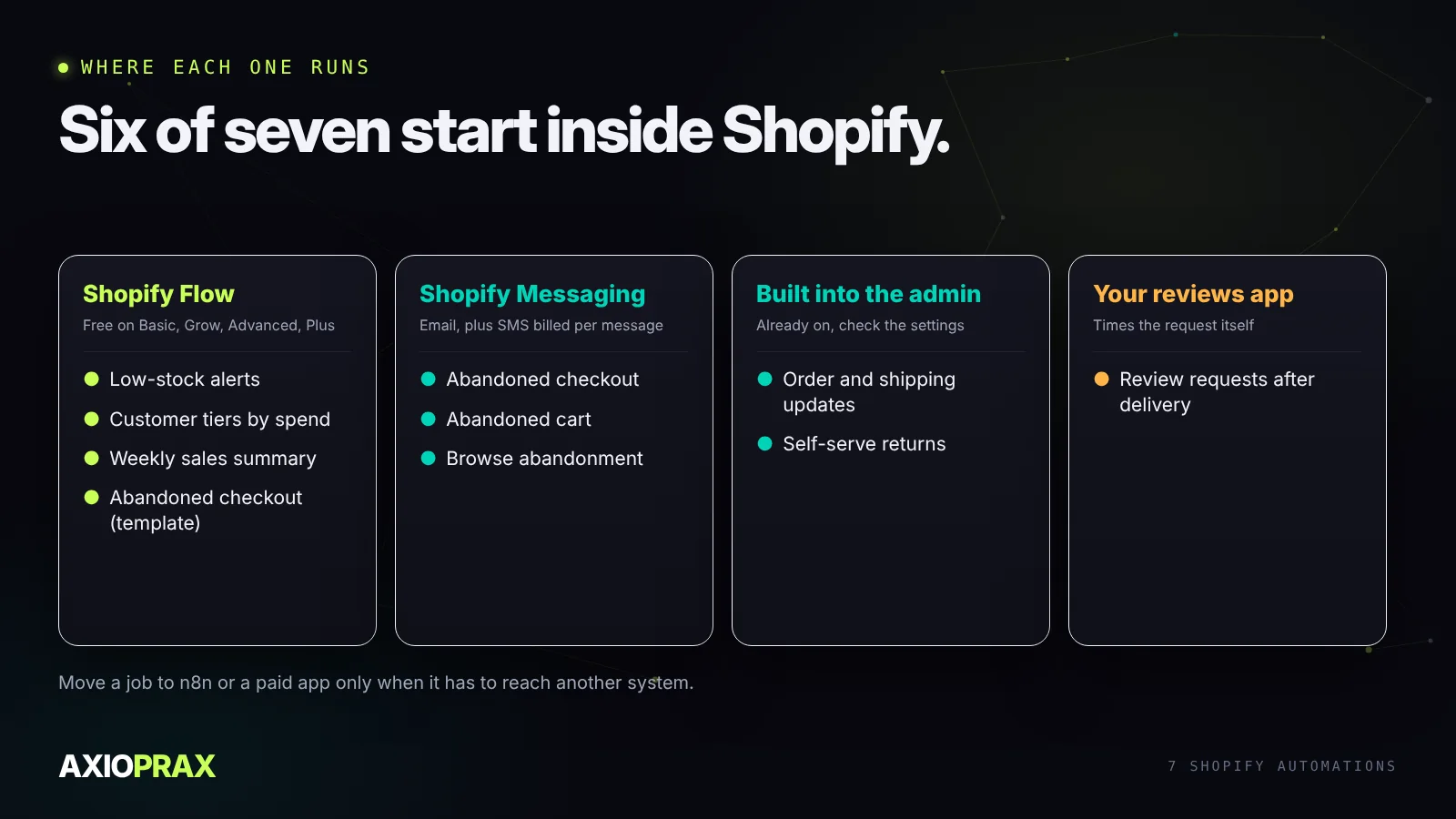
When someone fills in checkout and leaves, a reminder is the most common store automation and the easiest to switch on. Shopify Messaging has ready-made automations for abandoned checkouts, abandoned carts and browse abandonment, and in May 2026 Shopify added SMS versions of them (Shopify changelog). Shopify Flow also has a Customer abandons checkout trigger, and its Recover abandoned checkout template sends an email 10 hours after a customer reaches checkout without ordering (Shopify Help).
Two things matter more than the wording. Send only to customers who agreed to marketing, which the Flow template does by default. And give each checkout one owner: if Klaviyo or another email app already sends a reminder, switch off the Shopify one, or customers get two. Shopify says checkouts it flags as card testing or bot activity don't create abandoned checkouts at all. Some fake sign-ups still slip through, which is what our Bot Cleanup demo build deals with.
2. Order and shipping updates
These are built in, which is exactly why they get forgotten. Shopify sends an order confirmation and a shipping confirmation, and where the carrier reports it, "out for delivery" and "delivered" emails as well. Those last two can be switched off in the admin (Shopify changelog), so check they're on. Then open each notification under Settings and read it as a customer would: the wording, the tracking link, the reply-to address.
What the built-in emails won't do is notice a parcel that has stopped moving. If "where is my order" messages fill a lot of your inbox, that's the point to add tracking alerts on top.
3. Low-stock alerts
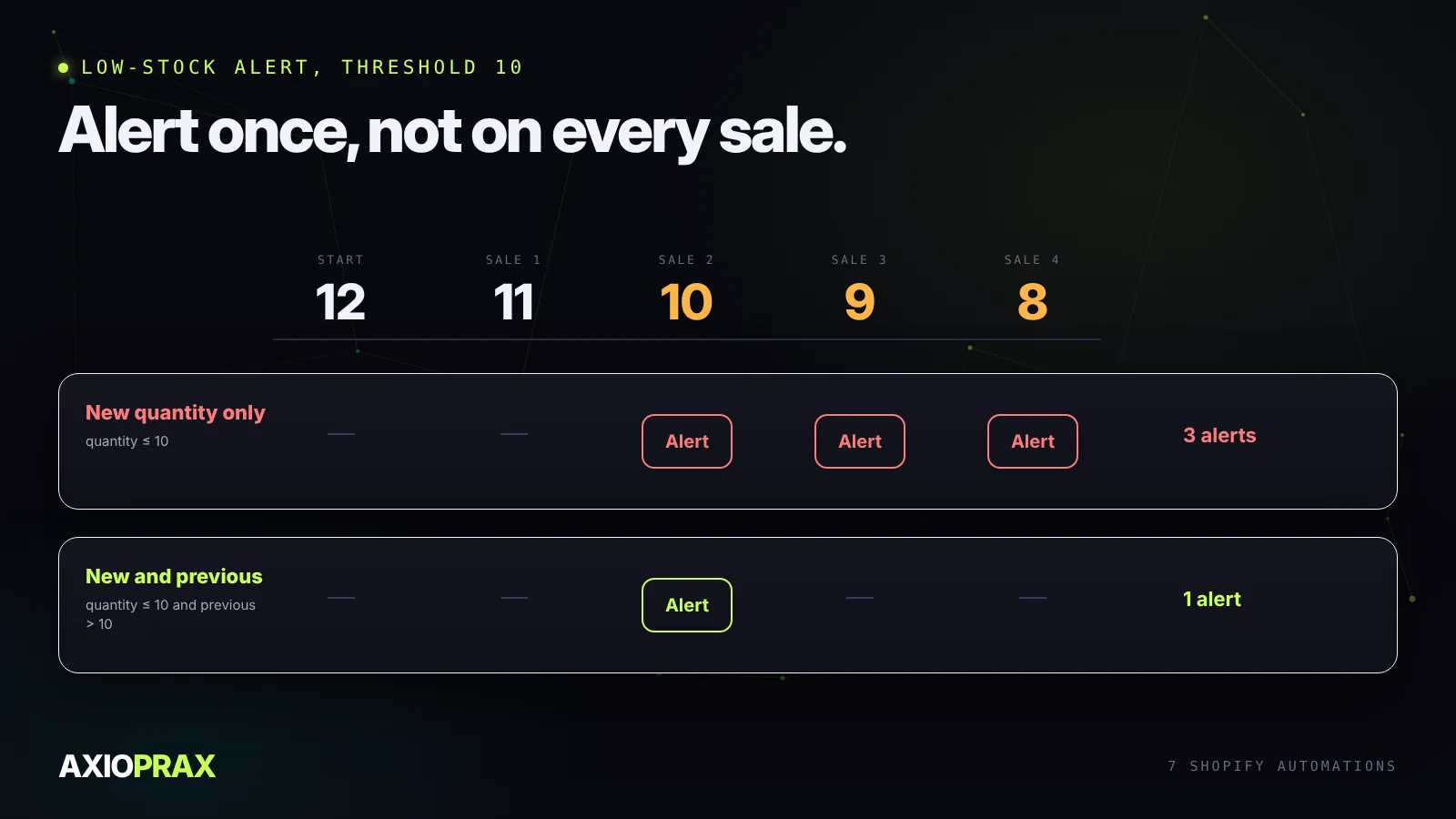
Flow includes a template that tells you when a product's inventory is low. It runs on the Inventory quantity changed trigger, and Shopify's own advice is to check both the new quantity and the previous one, so the alert fires once when stock crosses your line instead of on every order after it (Shopify Help).
A fixed number is a blunt tool, though. Ten units is a month of stock for one product and a day for another. If you sell fast-moving lines, the next step is an alert based on days of stock left, which needs your recent sales as well as your stock. Our guide to n8n e-commerce automations shows that version.
4. Customer tiers by spend
Flow's "Organize customers by lifetime spend tiers" template tags customers as their total spend passes levels you set. Once the tag exists, your email tool can treat those customers differently: earlier access to a launch, a thank-you note from the founder, a different offer.
Keep the tiers few and the thresholds round, so anyone on the team can explain them. And only use a tag for treatment you'd be comfortable describing to the customer who asked why they got it.
5. Review requests after delivery
A review request that lands before the parcel does is wasted. Most review apps can send their own request and time it from fulfilment or delivery, so use that rather than building one from scratch.
Two checks make the requests better. Skip orders with an open return or refund, and skip orders that arrived late. Both groups have something to tell you, but a review form isn't the place to hear it.
6. Returns
With self-serve returns, customers request a return or a cancellation from their order status page instead of emailing you. Your return rules decide which items qualify, how long customers have and who pays for return shipping. You still approve each request, then add any exchange items and send the return label (Shopify Help).
That removes most of the back-and-forth. Damaged items, disputes and anything outside the rules stay with a person.
7. A weekly sales summary
Shopify doesn't email reports on a schedule by itself. Flow now gets close. Its Scheduled time trigger can run weekly, and the Get analytics data action runs a ShopifyQL query and hands the numbers to the next step, such as an internal email (Shopify Help, Get analytics data).
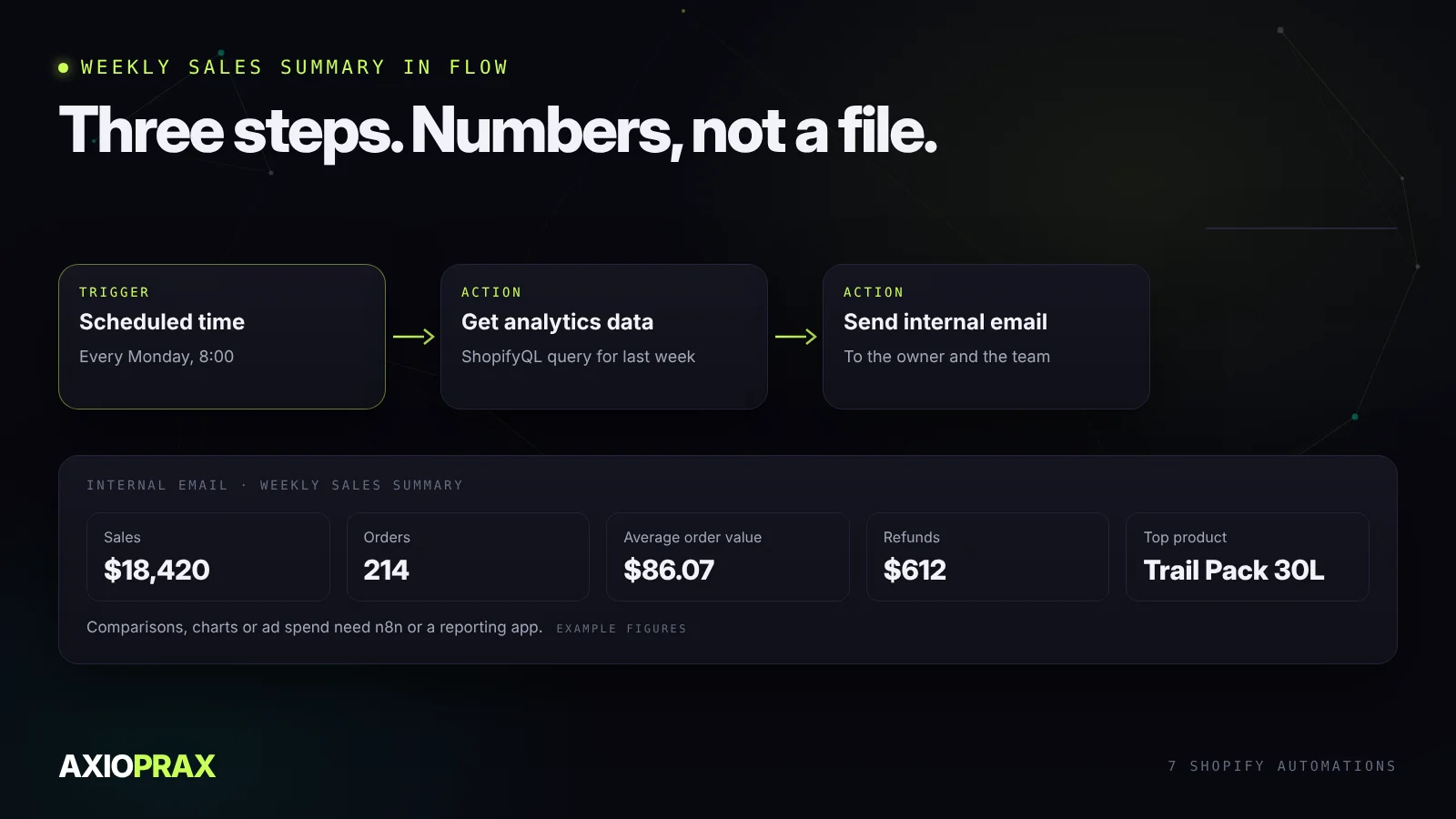
It sends values, not a formatted file, so keep it to five or six numbers: sales, orders, average order value, refunds and your top products. If you want a comparison with the same week last year, charts, or figures from outside Shopify such as ad spend, that's a job for n8n or a reporting app.
What it costs
Flow is a free app on the Basic, Grow, Advanced and Plus plans. Its Send HTTP request action, which lets a workflow call other apps, needs Grow or above (Shopify Help). Shopify notifications and self-serve returns come with the admin. SMS in Shopify Messaging is billed, and you set a spending limit in its settings.
So most of these cost setup time rather than a subscription. Each one still needs testing with a real order before you trust it, and a look every few months to check it still runs.
Where to start
Go down the list and mark which of the seven you already have. Turn on the built-in ones first, the notifications and returns, then build the Flow ones in order. If you'd rather have someone go through the store with you, our Store Ops Audit checks what's already running and ranks what to fix first.