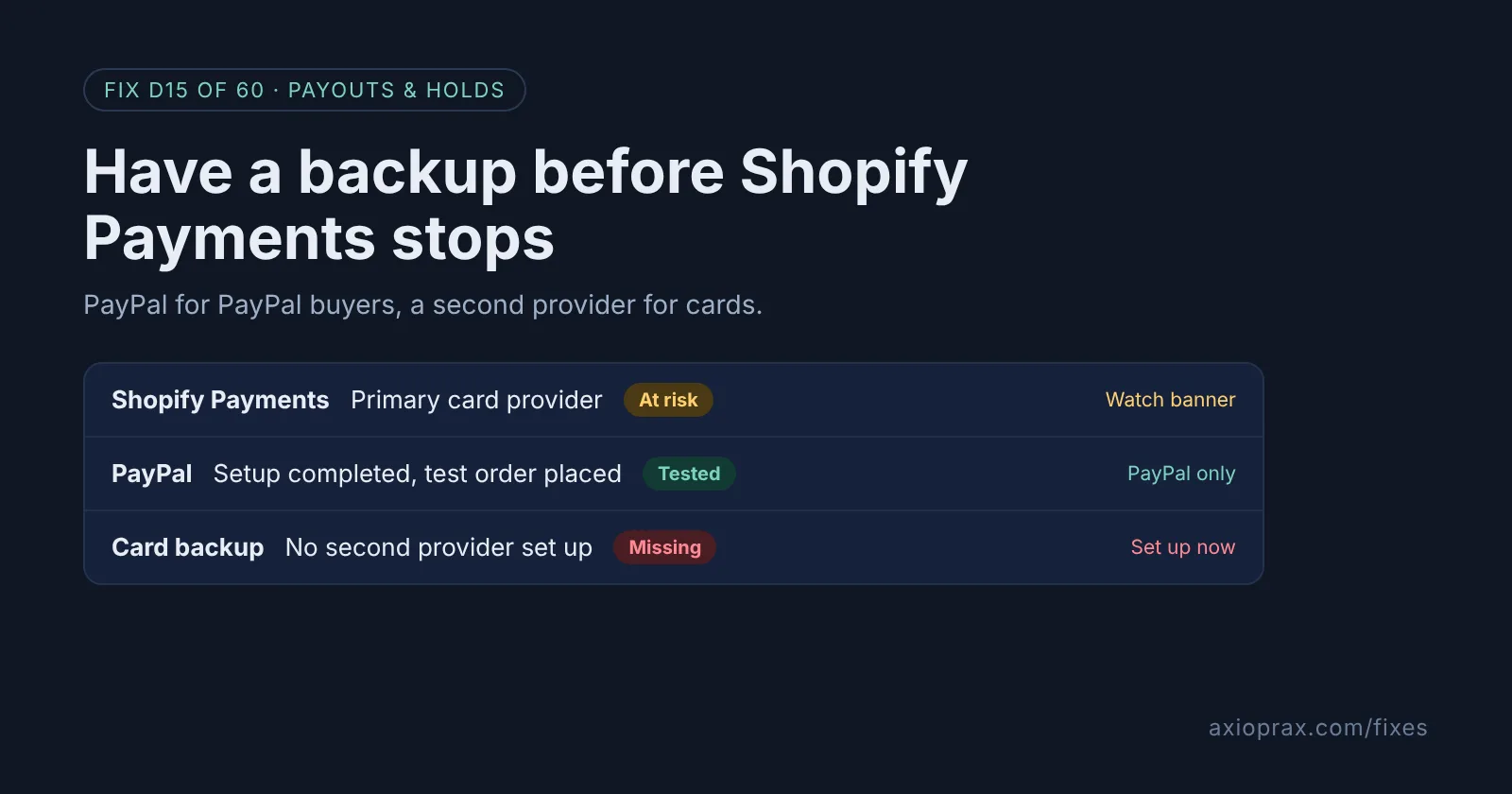
What does a backup payment method actually cover?
Shopify splits payments into two kinds. A credit card provider, such as Shopify Payments, takes card payments. Additional payment methods sit next to it. Shopify is clear on this: "Additional payment methods like PayPal process only PayPal payments and don't replace a primary provider."
So if Shopify Payments stops and PayPal is your only backup, shoppers who want to pay by card cannot. Shopify says they may see "This store is currently unable to accept payments", which usually means no active primary payment provider (the one that takes cards) is set up. A real backup covers both: PayPal for PayPal buyers, and a second card provider for everyone else.
Be honest with yourself about the limits. A backup does not release money Shopify Payments is already holding, and it does not stop Shopify from reviewing or pausing your account. If a payout is already on hold, start with Fix #2 instead.
How do I know I need this before Black Friday?
- PayPal shows Setup incomplete in Settings > Payments.
- Shopify Payments is your only way to take cards, and nobody has the login for another provider.
- You have never placed a test order through anything except Shopify Payments.
- Your best week of the year is close, and a day without card payments would hurt.
If two of these are true, give this an hour this week, while nothing is wrong.
How do I fix it? (step by step)
Work through it with your Shopify admin open, and tick each step as you go.
0 of 7 done
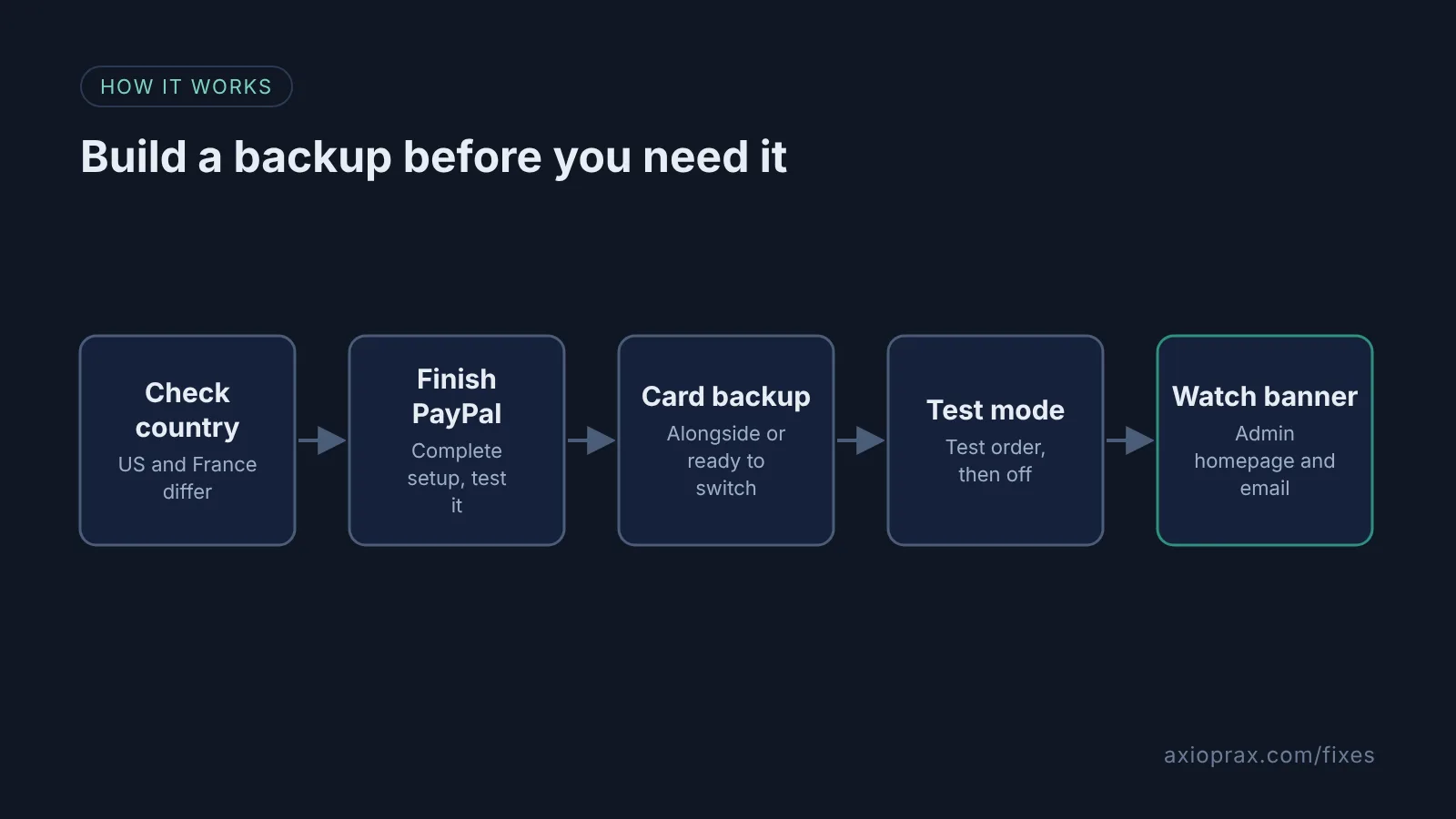
Check your country first.
In the United States and France, PayPal is integrated directly with Shopify Payments and is not available as a separate payment gateway, so it is not an independent backup there. Everywhere else, carry on with step 2.
Finish your PayPal setup.
Go to Settings > Payments. In the Additional payment methods section, click Setup incomplete next to PayPal, then click Complete setup. Shopify says refunds and manual capture need this setup to be complete.
Make a real PayPal test purchase.
Create a test product and buy it from your store with a different PayPal account from the one that receives your payments. Check the payment arrives in PayPal.
Decide how you will take card payments.
PayPal takes only PayPal payments. For cards, you can run one direct third-party provider alongside Shopify Payments, or keep the provider's credentials ready to switch to in Settings > Payments.
Know the switch path before you need it.
In Settings > Payments, Shopify payments section, click Manage, then click Switch to a third-party provider at the bottom of the page and click it again to confirm. Choose the provider, enter its credentials, then click Activate and Save. This removes Shopify Payments as your card provider, and you can have only one credit card provider activated at a time this way.
Test any new card provider.
Use the provider's test mode if it offers one in your Shopify admin, and place a test order. If it does not, ask the provider's support team how to test it with Shopify. Do not switch to Shopify's Test payment gateway on a live store, because you have to deactivate your current card provider first. Turn test mode off when you finish, because real cards do not work while it is on.
Watch the banner on your admin homepage.
Shopify says that if your Shopify Payments account is on hold, you should review the banner message on the homepage of your Shopify admin and check your email.
How does a second card provider alongside Shopify Payments work?
Shopify lets stores on all plans except contracted Shopify Plus use one direct third-party provider alongside Shopify Payments. Plus stores with a contract can request it, and multi-entity stores cannot use it. In this setup the third-party provider takes card payments first, and Shopify Payments retries eligible declined card payments as a backup. Wallets and local payment methods are not retried.
One catch: Shopify's page describes it from the other side, a store already on a third-party provider activating Shopify Payments next to it. If you are on Shopify Payments today, ask Shopify Support how to add the provider without switching away. And Shopify's pages do not say what happens to this setup if Shopify Payments itself is paused.
When is this not the right fix?
If your payout is already on hold, a backup will not get that money back. Use Fix #2 to prepare for the review. If you are in the United States or France, PayPal is part of Shopify Payments, so it does not count as a backup. And if Shopify Payments is your only card option in your country, focus on keeping that account in good standing.
What does it cost?
A third-party card provider charges its own fees, and Shopify adds a third-party transaction fee on transactions through third-party and alternate gateways, even when Shopify Payments is active. PayPal transactions are exempt from that fee only while Shopify Payments is your primary provider, so check the rate on your plan before you switch.
Want this set up for you?
We set this up and test it with you for free as part of the Founding 10, where we fix one Shopify problem for ten stores. To check the rest of your checkout first, see Fix #13.