Why should I check which apps can access my store?
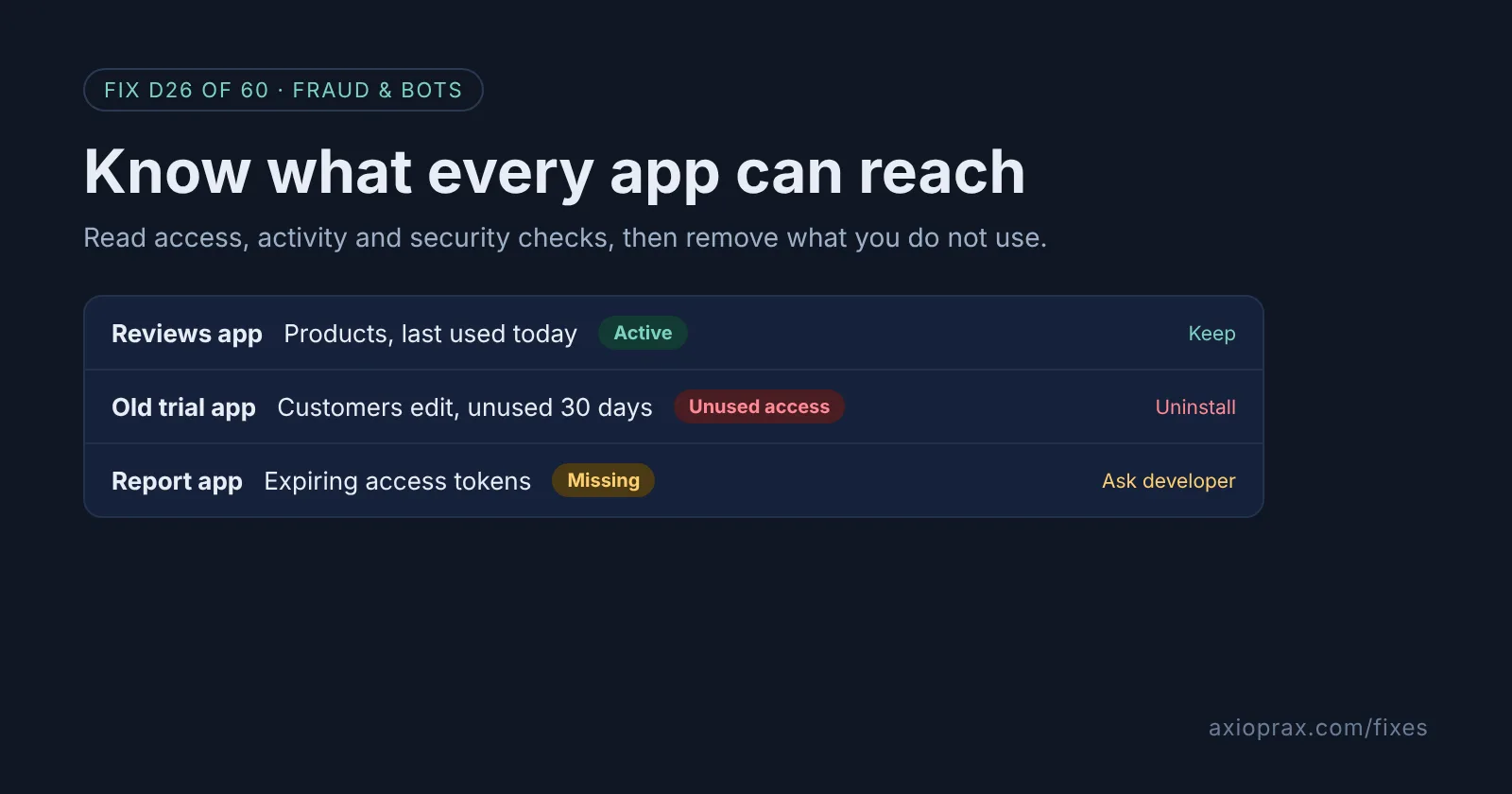
Every app you install gets permission to view or edit parts of your store, such as orders, customers or products. The permissions you granted stay in place until you uninstall it, even if nobody uses it. A trial from last year, a review widget you replaced, a report you ran once: if it is still installed, it still has the access you granted.
Shopify now shows you a lot about each one. The about page for every third-party app in Settings > Apps lists what it can view or edit, when it last used each area, and an Unused access list for permissions it has not touched in 30 days. A Security section shows whether the developer set up two protections, and a Privacy section shows the personal data the app can reach.
Shopify has also tightened the rules on developers. Its developer changelog says public apps had to configure an IP allowlist by 20 November 2026, and that public apps without one "will be delisted from the Shopify App Store and blocked from new installs." Developers can request an extension, and the rule is about new installs. It does not tidy the apps already on your store, which is your job.
How do I know I need this?
- You cannot name every app installed on your store from memory.
- You have apps you installed for a test or a one-off task.
- Former staff or agencies installed apps you never reviewed.
- You have never opened an app's about page to see its permissions.
If any of these sound familiar, the review below takes a few minutes per app.
How do I fix it? (step by step)
Work through it with your Shopify admin open, and tick each step as you go.
0 of 7 done
List every installed app.
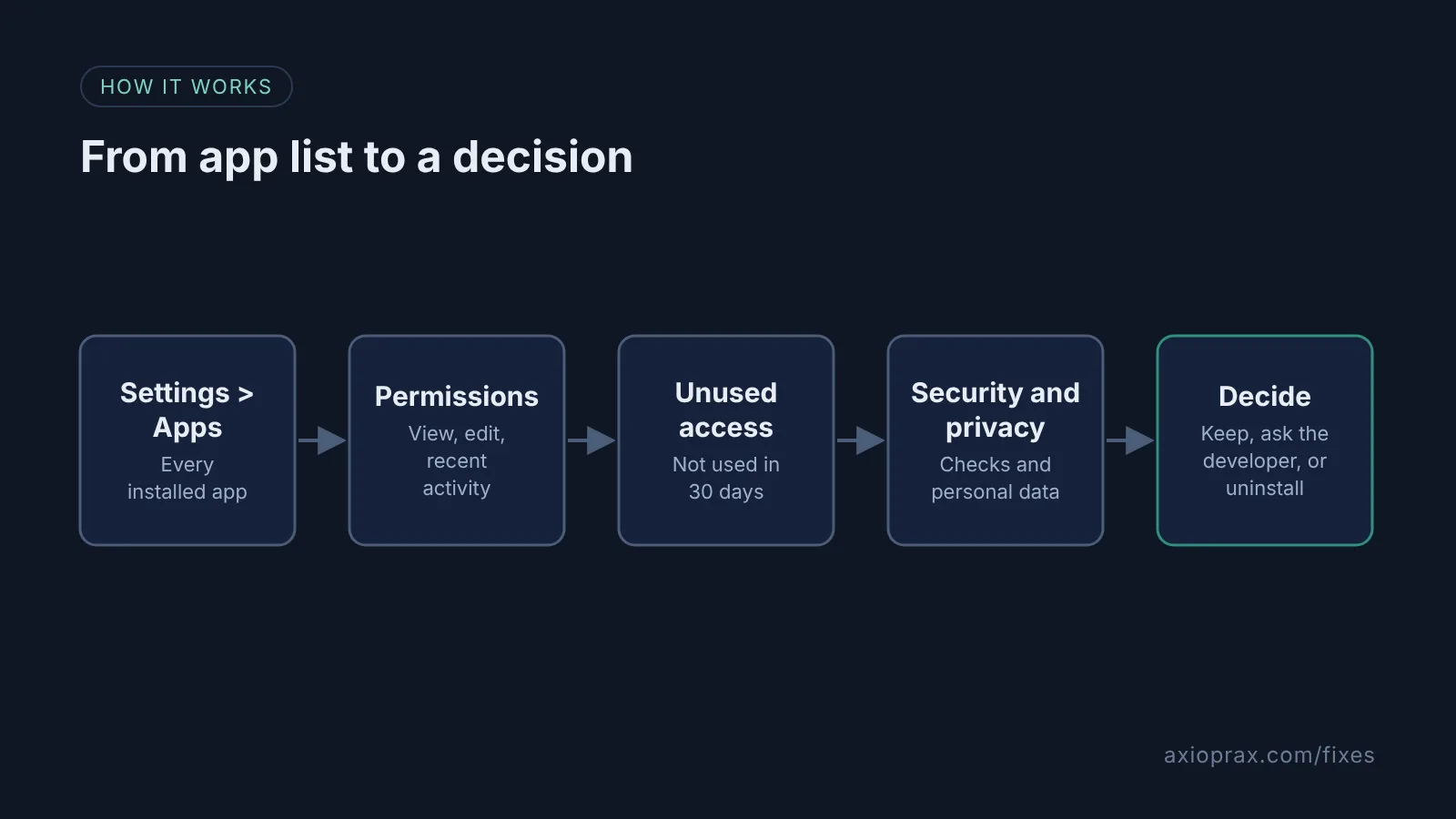
From your Shopify admin, go to Settings > Apps. Some integrations are sales channels and sit under Sales channels instead, so check that list too.
Read each app's access.
Click an app to open its about page. In the Activity and permissions section (Access and permissions on some stores), review which areas it can view or edit and the date of its recent activity in each.
Look for unused access.
Check the Unused access subsection for permissions the app has not used in the last 30 days. On stores with Access and permissions, look for areas marked None last 30 days, which means no requests in 30 days or that the activity could not be loaded, so check again before acting on it.
Check the security checks.
In the Security section, review Expiring access tokens and Enforced IP restrictions. A check can show Configured, Critical, Missing or Unknown, and checks that do not apply to the app are not shown. Staff need the Manage and install apps and channels permission to view them.
Check the personal data.
In the Privacy section, expand each category, such as Customers and Staff and contributors, to see the personal data the app can access, and open its privacy policy if you need more.
Prepare before you uninstall.
Export any data you need, contact the developer first if you want a refund, ask the developer whether the app left code in your theme, and cancel any charges it bills outside Shopify. Automations that depend on the app stop working once it is gone.
Uninstall what you do not use.
In Settings > Apps, click the menu next to the app, then Uninstall. Optionally pick a reason, then click Uninstall again. Recently uninstalled apps are listed on the Uninstalled tab.
How do I decide what to keep?
Start with use. If nobody on your team can say what an app does for you today, it is a candidate to remove. Next, look at Unused access. An app holding edit access to customers that it has not used in 30 days has more reach than it needs.
Then read the Security section. Expiring access tokens means the app's token for your store must be renewed regularly, which limits how long a stolen token works. Enforced IP restrictions means its Admin API requests only work from servers the developer approved. If a check says Missing, Shopify lists three options: keep the app and look again later, contact the developer to ask when they will set it up, or uninstall it.
When is this not the right fix?
The honest limit: these sections describe what an app is allowed to do and how it is set up. They cannot tell you an app is safe. Activity is only tracked for third-party apps, and Unknown can mean the information did not load, or that the developer set up the measure but it is not active for your store. Before removing an app that runs an important part of the store, such as fulfillment or subscriptions, plan the switch first. Apps that manage inventory at an app location make you transfer or delete that inventory during the uninstall.
What does it cost?
Nothing. The review uses pages already in your admin. Removing unused paid apps can save money from the next billing cycle, but check for charges billed outside Shopify, because uninstalling does not cancel those.