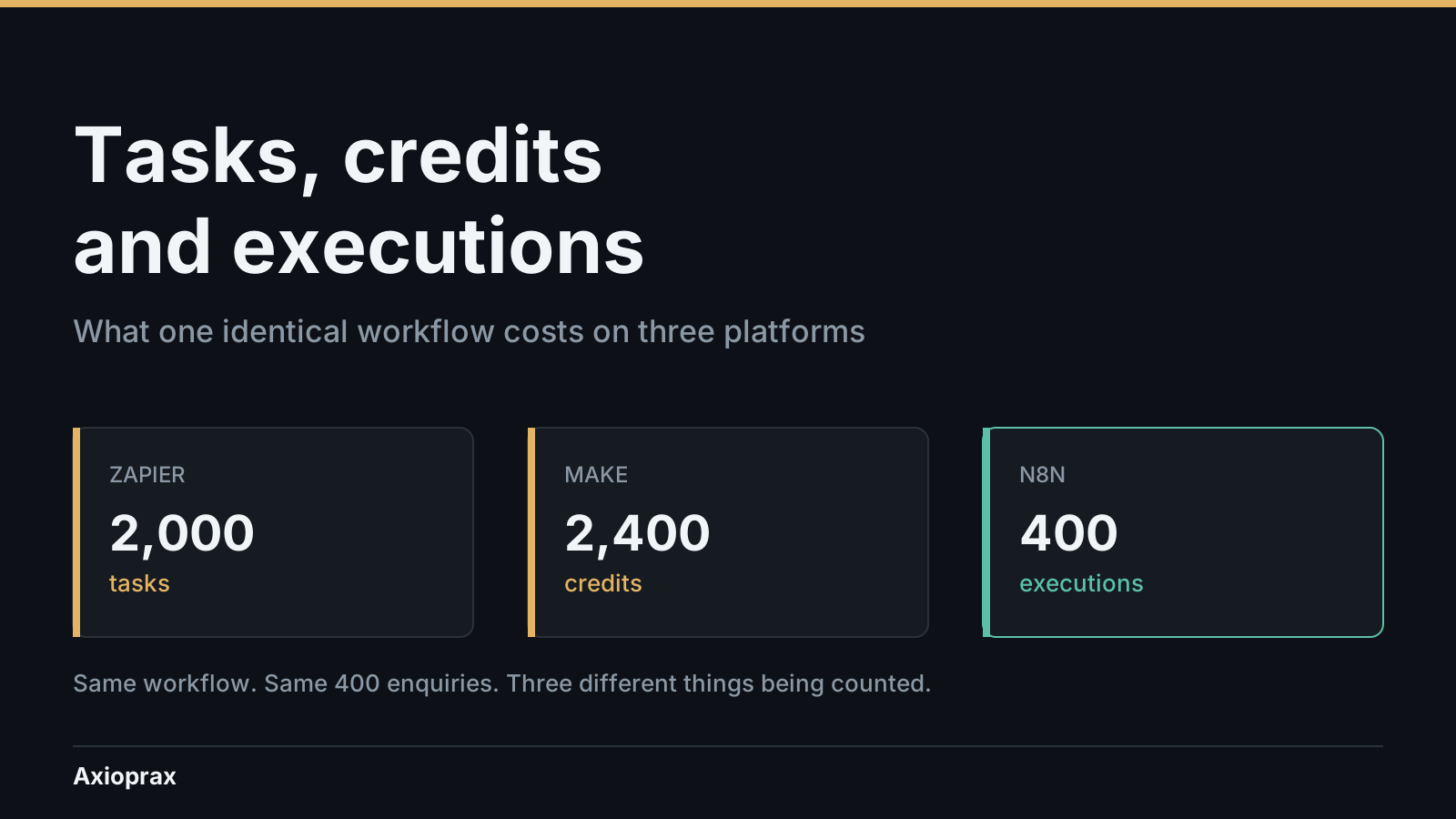
You have a quote from one automation platform and a quote from another, and they are not comparable. One counts tasks, one counts credits, one counts executions. Nobody will tell you what those words mean, because the answer is boring and the marketing is not.
So here is the boring answer, for one workflow you probably already have: a form submission that creates a CRM record, assigns an owner, sends a notification, writes a row to a sheet, and posts to a channel. One trigger, five actions. This is the workflow from what happens to a new enquiry before anyone replies, costed three ways.
Why it is hard to answer
The three platforms bill different things, not different amounts of the same thing. A step, a check and a whole workflow run are three different units. Comparing the numbers before you understand the units gets you a confident wrong answer.
The unit changes what your architecture costs. The same decision, whether to poll or use a webhook, is free on one platform and doubles your bill on another. That is not a pricing difference. It is a counting difference, and it only shows up once you know what is being counted.
The pricing pages do not answer it. All three publish prices. Only one of them lets you price this workflow end to end from the page alone. I will show you where each one stops.
How it actually works
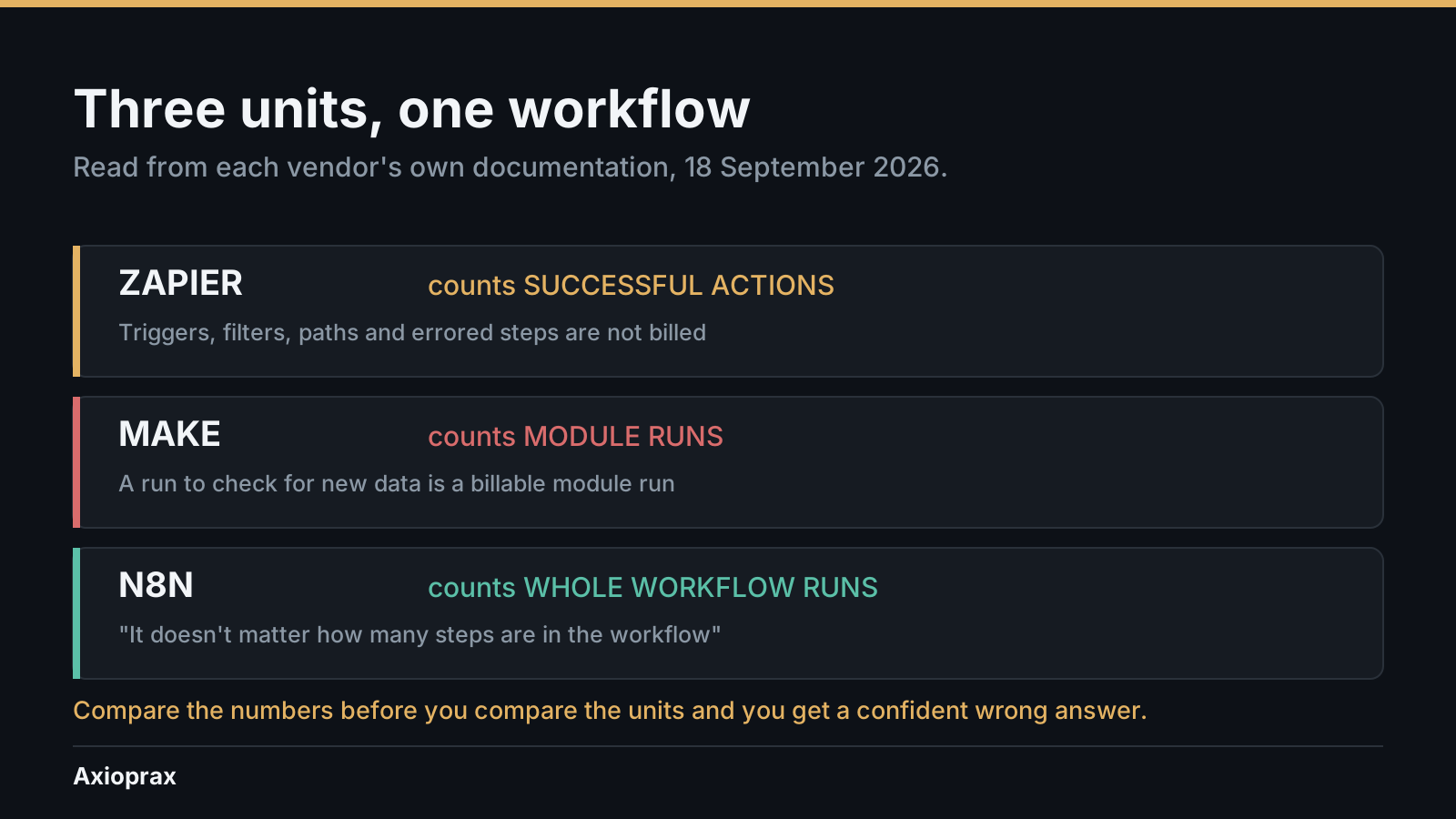
Zapier counts successful actions. A task is any successful action that runs in Zapier. Only successful actions count toward your task usage
(Zapier Help Center, task usage, checked 18 September 2026). What does not count is generous and specific: All trigger steps
are free, so are any Filter or Paths step
, and so are All action steps that error or halt
(same page, same date). The pricing page puts it plainly: Zapier never charges you a task to check for new data
(zapier.com/pricing, checked 18 September 2026).
Two details that catch people. Replaying a run recharges you: Any previously successful steps that run again when you replay an entire Zap run
count again (Zapier Help Center, checked 18 September 2026). And not every action costs one task. Lead Router charges 5 tasks per lead routed, Zapier MCP charges 2 per tool call, and AI and Code steps vary by model tier and runtime (same page, same date). So a task count built by multiplying steps is a floor, not a ceiling.
Make counts module runs, including the checks. An operation is a single module run to process data or check for new data
(Make Help Center, operations, checked 18 September 2026). The phrase or check for new data
is the whole article in six words. Two rules follow. Trigger modules only run once to check for or retrieve data, regardless of the number of bundles returned
, and every other module runs per bundle: modules process each bundle separately, meaning each bundle triggers its own module run
(same page, same date). The pricing page uses the word credits for the same idea: Each module action in your scenario, like adding a Google Sheet row or fetching Gmail account data, counts as one credit
(make.com/en/pricing, checked 18 September 2026).
n8n counts whole workflow runs. An execution is a single run of your entire workflow. It doesn't matter how many steps are in the workflow or how much data it processes
(n8n.io/pricing, checked 18 September 2026). The documentation adds the qualifiers that matter: Only production executions count towards this quota
, schedule triggers count one execution every time the node fires, regardless of outcome
, and polling nodes count one execution only when new data is found. Polls that return no results don't count as an execution
(docs.n8n.io, executions, checked 18 September 2026).
One worked calculation
This is a model, not a measurement. The inputs are assumptions. Substitute your own.
One trigger, five actions, 400 enquiries a month.
| Platform | Unit | Arithmetic | Monthly |
|---|---|---|---|
| Zapier | successful actions | 5 x 400, trigger free | 2,000 tasks |
| Make, webhook trigger | module runs | 6 x 400 | 2,400 credits |
| Make, polled every 15 min | module runs | 2,880 checks + 2,000 actions | 4,880 credits |
| n8n, either trigger | workflow runs | 1 x 400 | 400 executions |
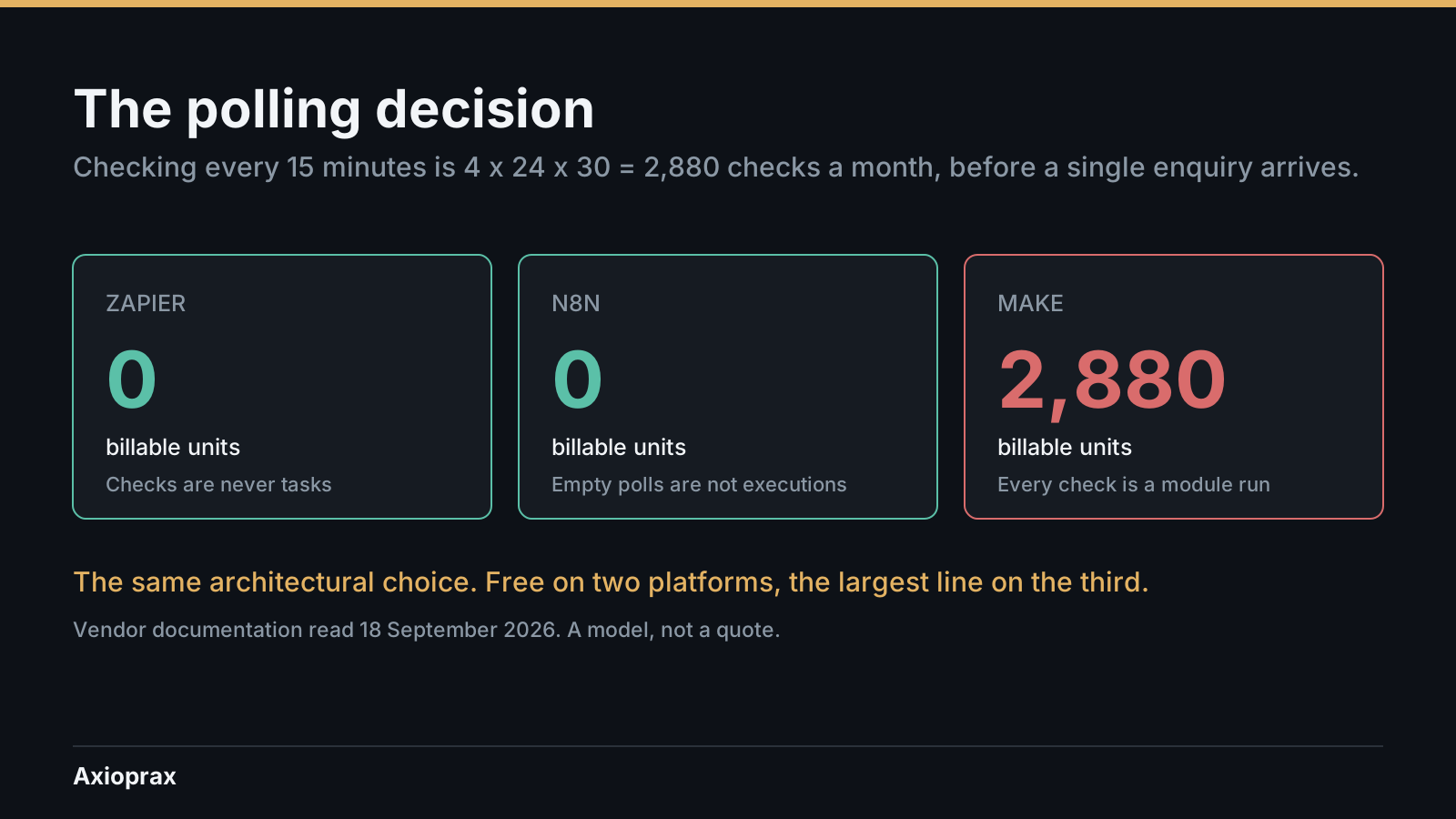
The polling row is the one to look at twice. Checking every fifteen minutes is 4 x 24 x 30 = 2,880 checks a month. On Make each is a module run, because checking for new data is explicitly a module run. On n8n an empty check is not an execution. On Zapier no check is ever a task. The same architectural decision costs 2,880 units on one platform and nothing on the other two.
Now price it, using each platform's own page on the same day.
- n8n: 400 executions of the 2,500 on Starter at 20 EUR a month billed annually. 16 percent used.
- Make, webhook: 2,400 credits of the 10,000 shown on Core at $12 a month. 24 percent used.
- Make, polled: 4,880 of the same 10,000. 49 percent used.
- Zapier: 2,000 tasks is exactly the 2,000-task tier. 100 percent used, no headroom. Professional starts from $19.99 a month and the page offers tiers of 1.5K, 2K, 5K and upward, but it does not show the price at the 2K tier, so what this workflow actually costs on Zapier is UNKNOWN and I will not estimate it.
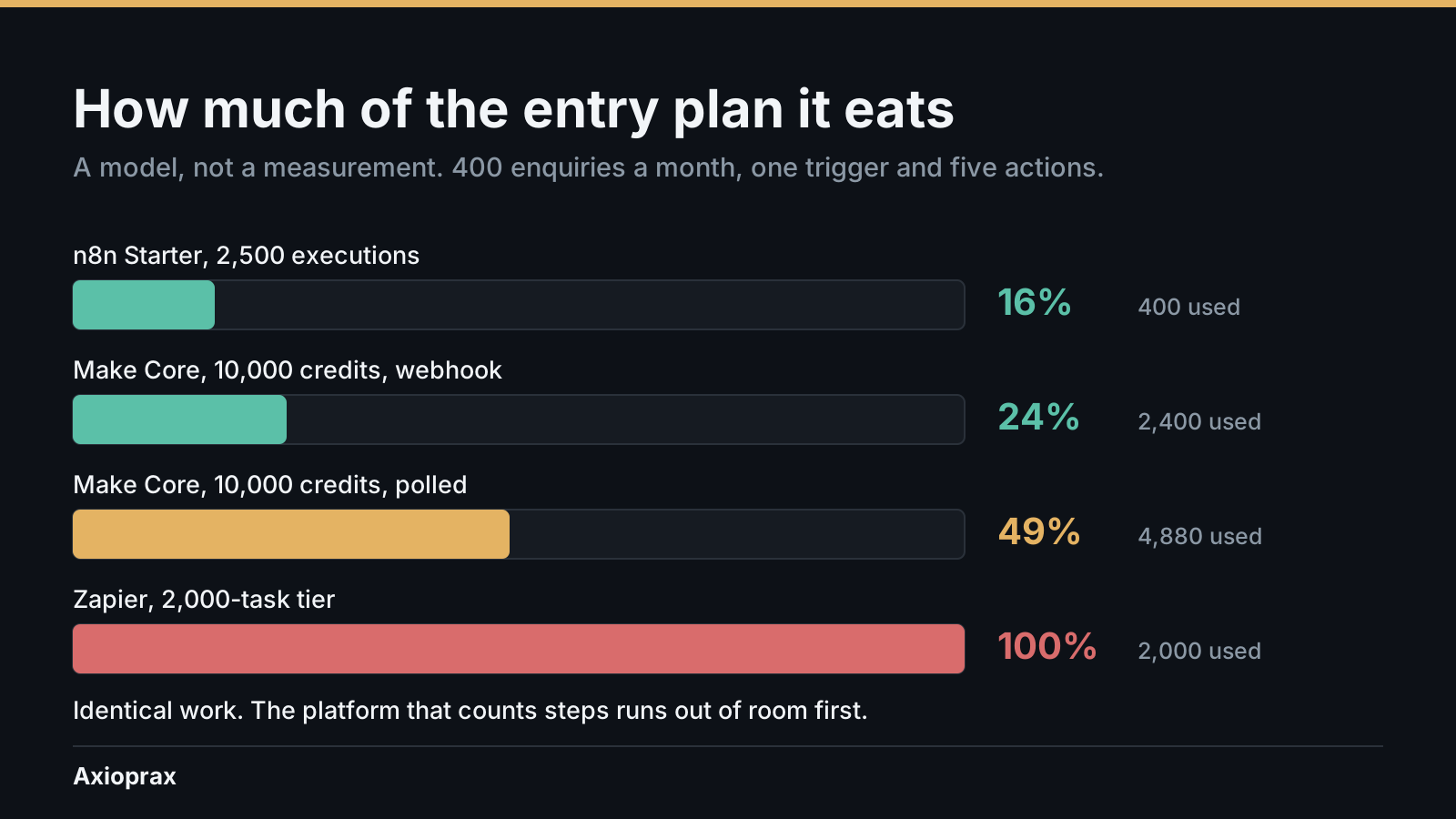
What the model does not do. It assumes a flat five-action shape with no branches, no retries, no multi-task actions and no replays, all four of which push the Zapier number up and none of which push it down. The percentages use the default tier each pricing page showed on 18 September 2026, and volume selectors move them. And a plan that fits today at 400 enquiries is a different question from a plan that fits at 1,200.
The finding, stated plainly
At this volume, none of these is expensive. The difference is not the bill, it is the headroom: 16 percent, 24 to 49 percent, and 100 percent, for identical work. The platform that counts steps runs out first, and it runs out silently, because at the limit Zapier switches you to pay-per-task billing unless you have turned it off, charged at a higher per-task rate than your base subscription tasks
(zapier.com/pricing, checked 18 September 2026).
Failure modes
- Comparing the numbers before the units. 2,000 against 2,400 against 400 looks like a five-fold difference. It is three different things being counted.
- Budgeting from a step count. Lead Router at 5 tasks, MCP at 2, AI and Code by runtime. Your multiplication is a floor.
- Polling because it was easier to build. 2,880 units a month on Make before a single enquiry arrives, free on the other two.
- Paying for retries you did not know about. Replaying a run recharges every previously successful step. A week of debugging a live workflow is a real line on the bill.
- Hitting the ceiling as an overage rather than an error. The workflow keeps running and the rate goes up. Nobody gets an outage, so nobody investigates.
- Assuming the cheap plan is the same product. On the Make pricing page, Core at $12, Pro at $21 and Teams at $38 all showed the same 10,000 credits on 18 September 2026. You are buying features at that tier, not volume.
When not to automate
If this workflow runs a handful of times a week, none of this arithmetic matters and you should pick the platform your team can already maintain. Unit economics start mattering somewhere around the point where the monthly number stops being something you can hold in your head.
And the platform question is downstream of a question this article does not answer: which steps should run unattended at all. A cheaper unit on a workflow that should have had a human in it is not a saving.
Tradeoffs
| Unit | Cheap when | Expensive when | The trap |
|---|---|---|---|
| Successful actions (Zapier) | Few steps, high failure tolerance, no polling | Many steps per item; replays; multi-task actions | A step count is a floor, and the ceiling is an overage rate, not a stop |
| Module runs (Make) | Webhook triggered; few bundles per run | Polled; many bundles; long scenarios | Checking for data is billable even when there is no data |
| Workflow runs (n8n) | Long workflows; many steps per item | Very high run counts of tiny workflows | Schedule triggers count regardless of outcome, so a noisy scheduler is a real cost |
Self-hosting changes the n8n column entirely and is its own decision, covered separately.
One next step
Open the workflow you actually run most and count three things: how many billable steps per item, what the trigger is, and how many items a month. Multiply, then look up the allowance on your current plan and work out what percentage you are using.
If it is over about sixty percent, you do not have a pricing problem yet. You have a headroom problem, which arrives first and is cheaper to fix.
If you would rather have someone count it properly across your whole stack, the route is /start.
What this article is built on
Twenty-one claims. Eighteen verified against primary vendor pages read on 18 September 2026, three published as unknown rather than guessed. Each is cited in the text at the point it is used, with the date it was checked.
| # | Claim | Source | Checked | Status |
|---|---|---|---|---|
| 1 | "A task is any successful action that runs in Zapier. Only successful actions count toward your task usage." | Zapier Help Center, task usage | 18 Sep 2026 | Verified |
| 2 | "All trigger steps" do not count as tasks | same | 18 Sep 2026 | Verified |
| 3 | "any Filter or Paths step" does not count as a task | same | 18 Sep 2026 | Verified |
| 4 | "All action steps that error or halt" do not count | same | 18 Sep 2026 | Verified |
| 5 | Replayed previously successful steps are charged again | same | 18 Sep 2026 | Verified |
| 6 | Some actions cost more than one task: Lead Router 5, Zapier MCP 2, AI and Code variable | same | 18 Sep 2026 | Verified |
| 7 | "Zapier never charges you a task to check for new data" | zapier.com/pricing | 18 Sep 2026 | Verified |
| 8 | Free $0/mo with 100 tasks; Professional from $19.99/mo; Team from $69/mo; tiers include 1.5K, 2K, 5K and up | zapier.com/pricing | 18 Sep 2026 | Verified |
| 9 | At the limit, pay-per-task billing applies unless disabled, at a higher rate | zapier.com/pricing | 18 Sep 2026 | Verified |
| 10 | "an operation is a single module run to process data or check for new data" | Make Help Center, operations | 18 Sep 2026 | Verified |
| 11 | Trigger modules run once "regardless of the number of bundles returned" | same | 18 Sep 2026 | Verified |
| 12 | "modules process each bundle separately, meaning each bundle triggers its own module run" | same | 18 Sep 2026 | Verified |
| 13 | "Each module action in your scenario ... counts as one credit" | make.com/en/pricing | 18 Sep 2026 | Verified |
| 14 | Free $0 up to 1,000 credits; Core $12, Pro $21, Teams $38 each shown at 10,000 credits; Enterprise custom | make.com/en/pricing | 18 Sep 2026 | Verified |
| 15 | "An execution is a single run of your entire workflow. It doesn't matter how many steps are in the workflow" | n8n.io/pricing | 18 Sep 2026 | Verified |
| 16 | Starter 20 EUR/mo 2.5K executions; Pro 50 EUR/mo 10K; Business 667 EUR/mo 40K, billed annually | n8n.io/pricing | 18 Sep 2026 | Verified |
| 17 | "Only production executions count towards this quota"; schedule triggers count "regardless of outcome" | docs.n8n.io, executions | 18 Sep 2026 | Verified |
| 18 | Polling nodes "count one execution only when new data is found. Polls that return no results don't count as an execution." | docs.n8n.io, executions | 18 Sep 2026 | Verified |
| 19 | What 2,000 Zapier tasks a month actually costs | the pricing page shows the 2K tier but not its price | 18 Sep 2026 | UNKNOWN |
| 20 | Whether an n8n execution that fails after starting counts toward quota | the docs address pre-start failures and schedule triggers, not mid-run failure | 18 Sep 2026 | UNKNOWN |
| 21 | Whether Make's "operations" and "credits" are strictly the same unit | the pricing page says credits, the operations help page says operations, neither reconciles them | 18 Sep 2026 | UNKNOWN |
Third-party posts claiming a September 2026 Make price cut were surfaced during research and deliberately not admitted. An aggregator blog is not vendor documentation, and every other claim here was held to that bar.