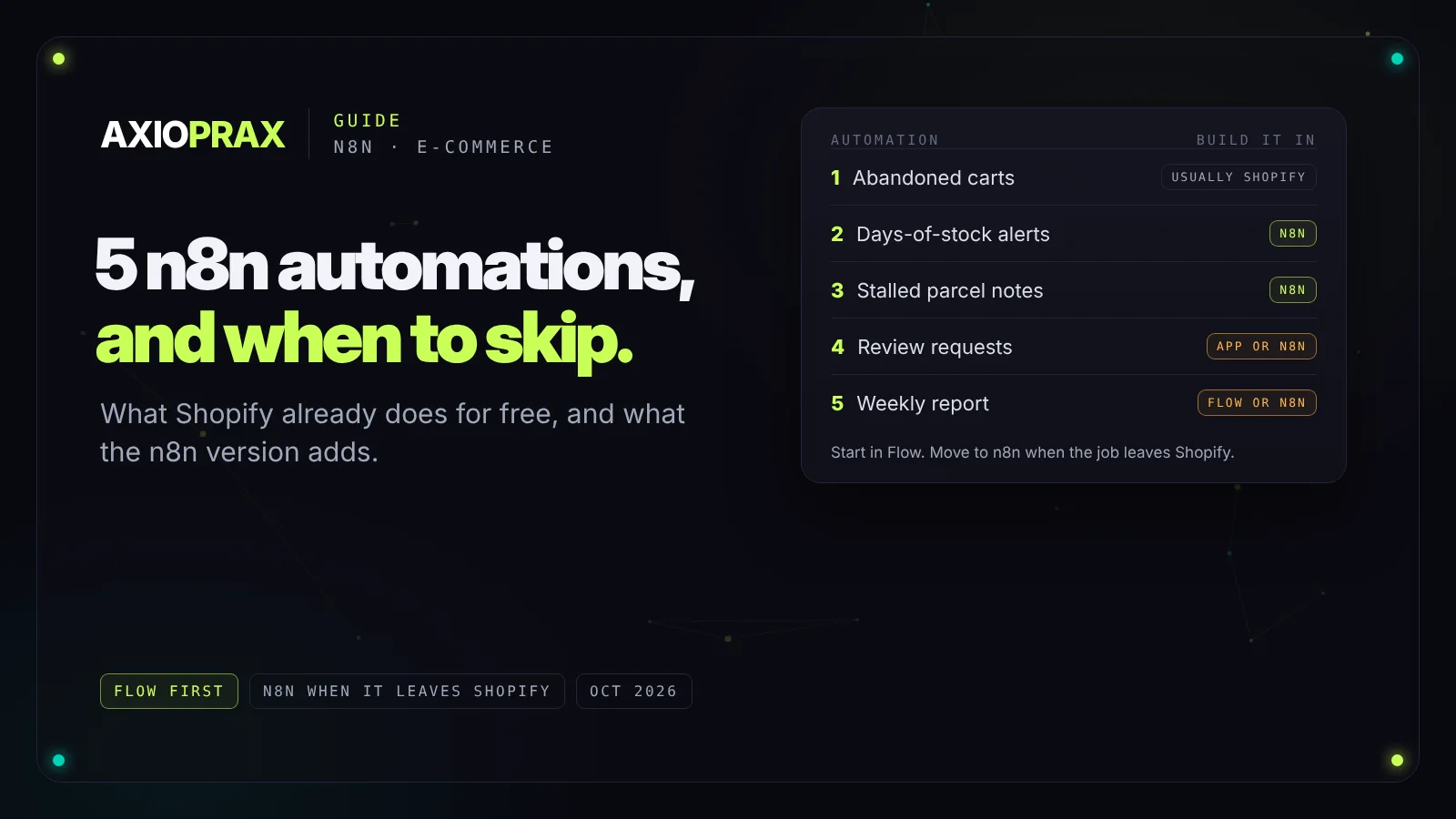
These are the five store automations people most often want built in n8n. For a couple of them the honest answer is that Shopify already does the job, and n8n only earns its place once you need something Shopify can't do. Here's each one, what you get for free, and what the n8n version adds.
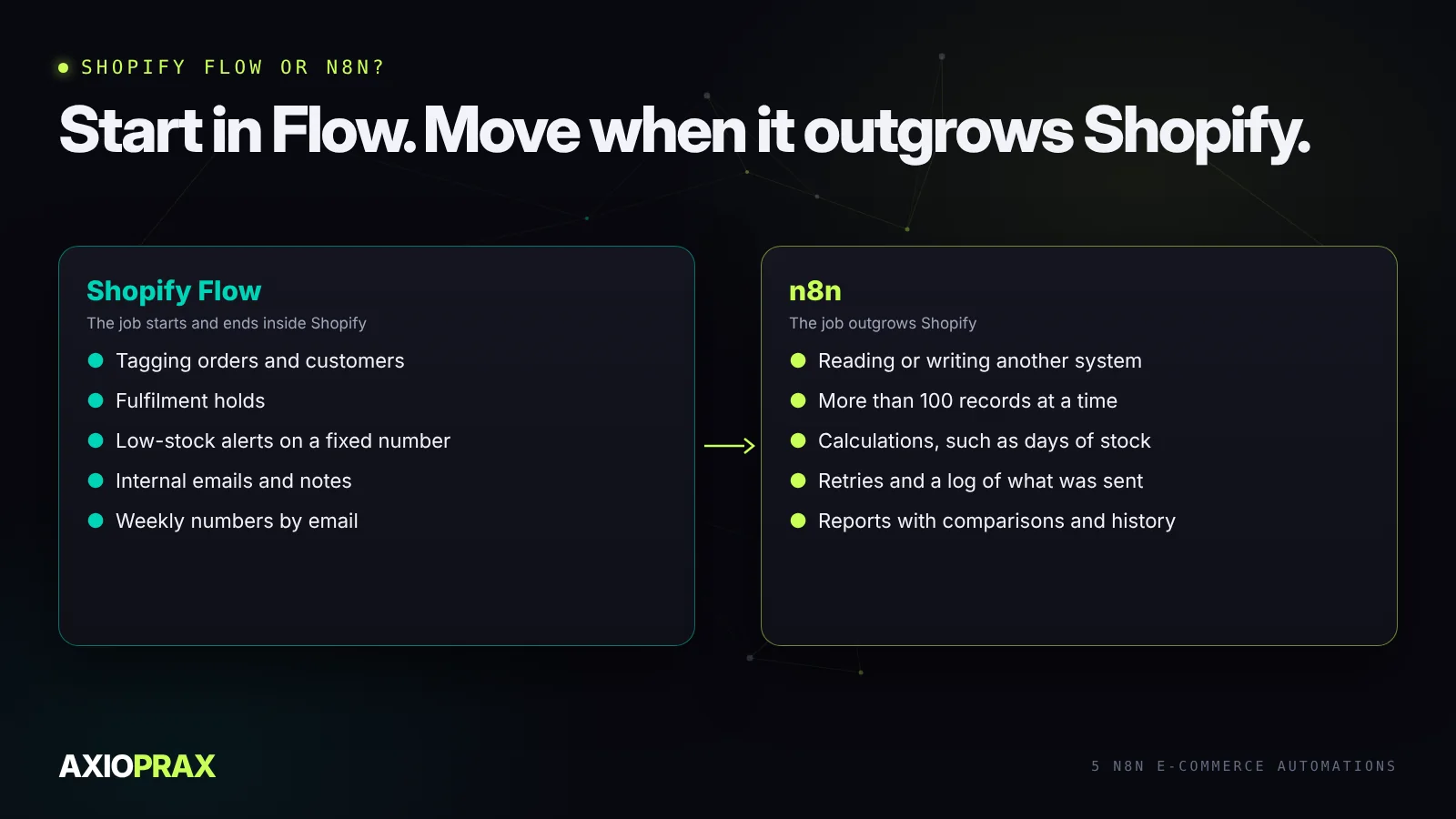
The rule we use is simple. If a job starts and ends inside Shopify, build it in Shopify Flow first. Move it to n8n when it has to read or write another system, needs more data than Flow can fetch in one go, or needs logic that would turn a Flow workflow into a maze.
1. Abandoned cart recovery
For most stores, don't build this one in n8n. Shopify Messaging and Flow both have abandoned checkout automations, and email apps like Klaviyo have their own. They already know who agreed to marketing and stop when the customer orders.
An n8n version makes sense in one situation: you want to reach customers on a channel your email tool doesn't cover, or you need to check something in another system before sending. Shopify doesn't send a webhook when a checkout is abandoned, so n8n reads abandoned checkouts from the Admin API on a schedule. Before every message it should look up whether that customer has ordered since and whether they agreed to be contacted. Skip either check and you'll message people who already paid.
2. Low-stock alerts that count days, not units
Flow's low-stock template alerts you when a product drops below a number you choose. That works for a short catalogue. It struggles when ten units means a month for one product and a day for another, and Flow's get data actions only handle lists of up to 100 items at a time (Shopify Help).
The n8n version runs each morning. It pulls stock on hand and the last 28 days of sales for every variant, works out how many days of stock are left, and compares that with how long your supplier takes to deliver.
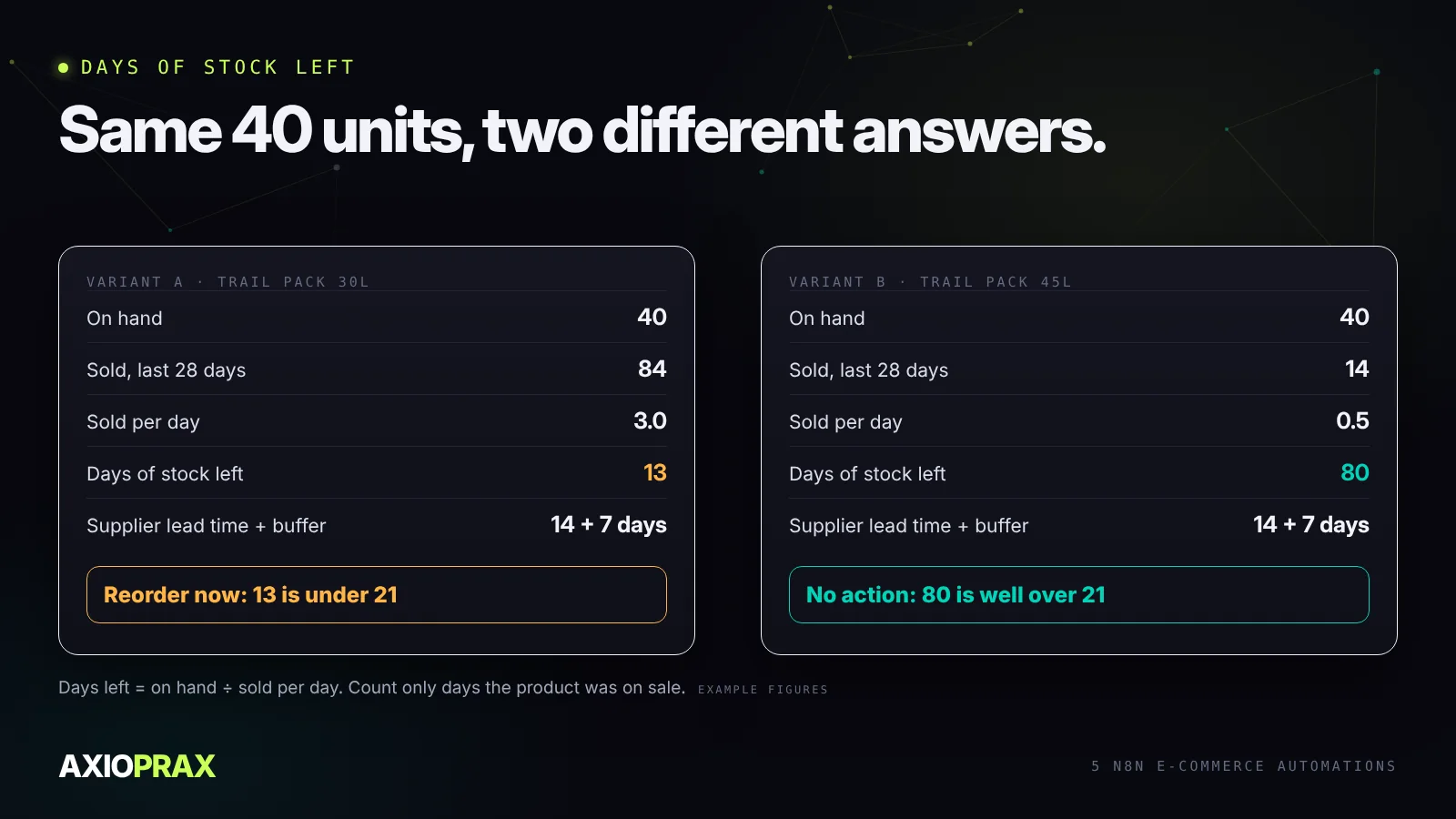
One trap: if a product was out of stock for part of those 28 days, its average looks lower than real demand, and the alert comes too late. Count only the days it was actually on sale, or at least flag products that hit zero recently. For a worked example of the reorder side, see our Stocky replacement demo build.
3. Post-purchase updates when a parcel stalls
Shopify already sends the order confirmation, the shipping confirmation and, where the carrier reports it, "out for delivery" and "delivered" emails. Don't rebuild those.
What n8n adds is noticing when nothing happens. It checks fulfilled orders daily and flags the ones with no carrier scan a few days after the label was made, or no movement for longer than the route usually takes. The customer gets a short note before they have to ask, and your team gets a list to chase. Because carriers report differently, test this on your real carriers before trusting it, and keep the messages plain: what you know, what you're doing, when you'll update them.
4. Review requests after delivery
Your reviews app can usually send the request itself, timed from fulfilment or delivery. Use n8n when you want rules the app doesn't offer: wait a few days after a delivered event, skip orders with an open return or refund, skip orders that arrived late, and send each customer one request at most.
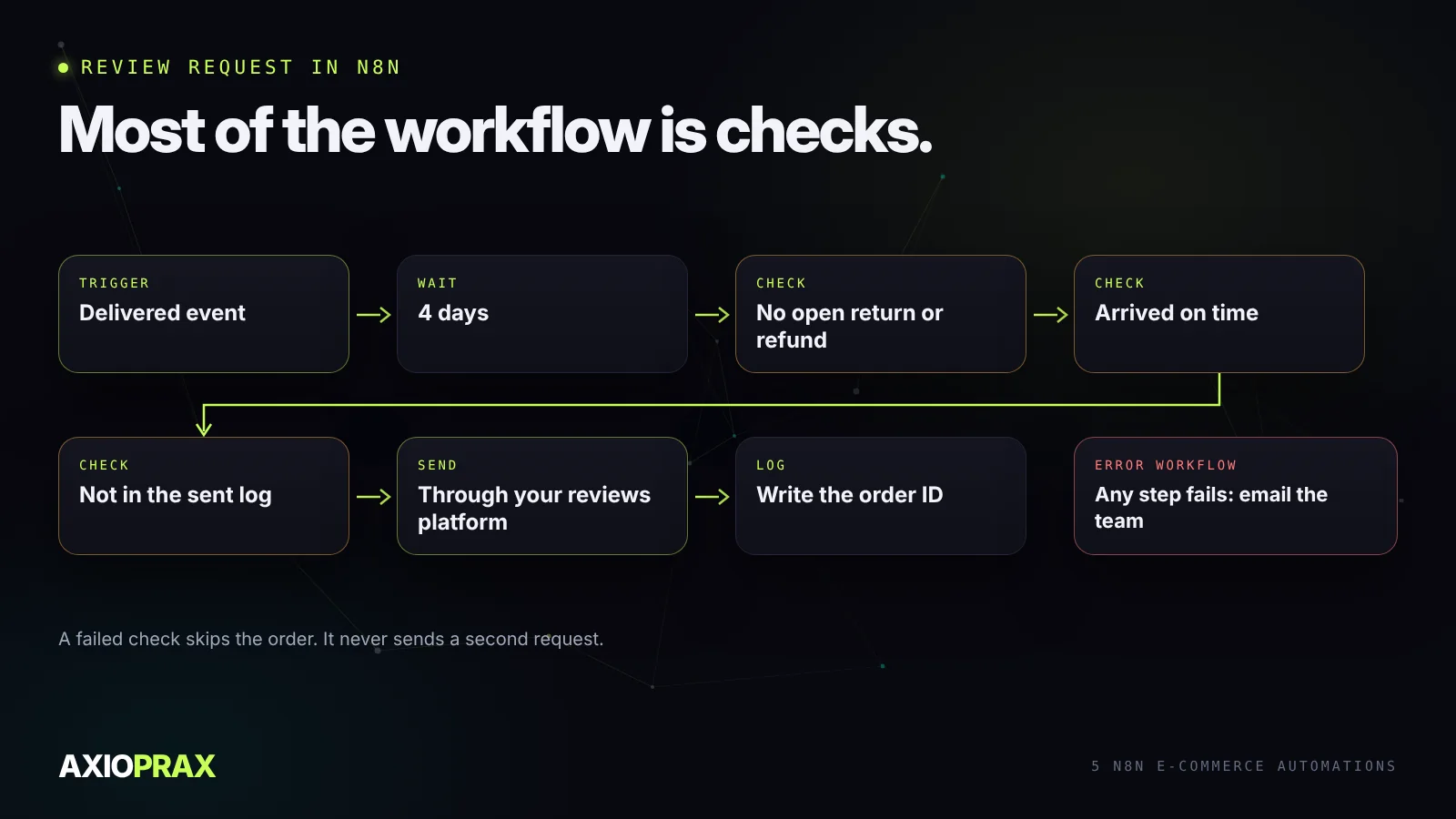
The sent log matters more than it looks. Webhooks can arrive twice and workflows get rerun after a fix. Writing each order ID to a sheet or table, and checking it before sending, is what stops a customer getting the same request three times.
5. A weekly sales report people actually read
Flow can now send a weekly email with numbers from your analytics, using a scheduled trigger and the Get analytics data action. It sends values rather than a formatted report, which is fine for five or six figures (Shopify Help).
The n8n version is worth it when you want context: this week against last week and the same week last year, ad spend next to sales, refunds by reason, and one line on anything unusual. It can write the numbers to a Google Sheet as well, so you build up a history without exporting anything by hand.
Make it reliable before you make it clever
Most broken store automations don't fail loudly. They stop, and nobody notices for weeks. Three habits prevent that:
- An error workflow. n8n's Error Trigger node starts a separate workflow when another one fails. Point it at an email or Slack message so a failure reaches a person.
- A log of what was sent. Record order IDs before acting on them, so a rerun or a duplicate webhook can't send twice.
- Room for Shopify's limits. Shopify limits how fast apps can call its API. Fetch in pages and slow down when it tells you to, rather than assuming every call succeeds.
What it costs to run
n8n counts workflow runs, not steps, which suits these jobs because most of them are a handful of runs a day. Our comparison of tasks, credits and executions works through what the same workflow costs on n8n, Make and Zapier, and n8n vs Zapier covers the trade-offs beyond price.
Where to start
Pick the one that hurts most today. For most stores that's the stock alert or the weekly report, because both replace a manual check someone already does. Build it, run it next to the manual check for two weeks, and only switch the manual one off once the numbers match.