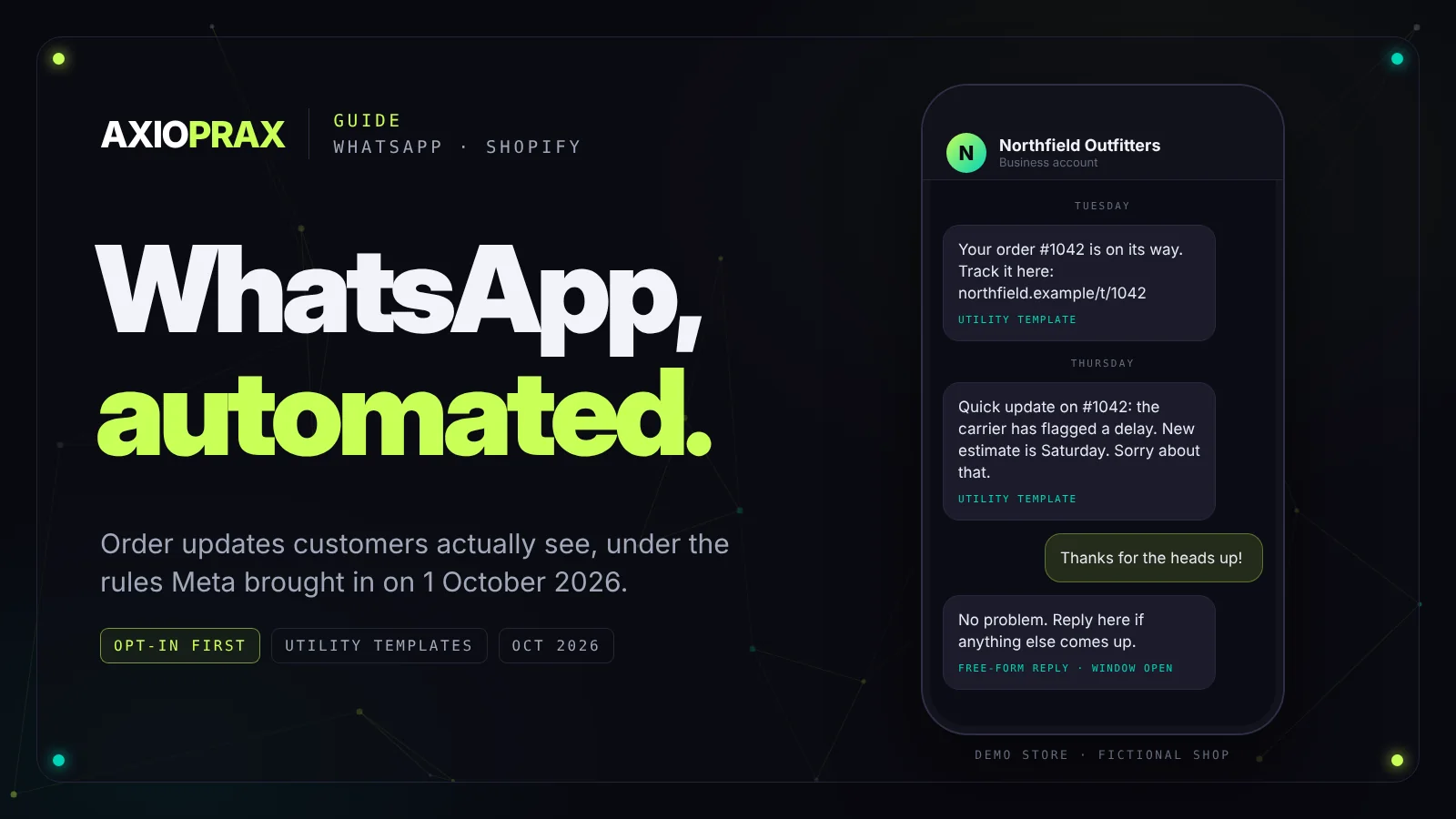
If your customers live on WhatsApp, an order update there gets seen. The same tracking link in an email is competing with everything else in their inbox. That's most of the appeal.
The catch is that WhatsApp plays by stricter rules than email, and Meta changed what it charges on 1 October 2026. A setup that cost almost nothing in September costs more now. This guide covers what you can automate, the rules you can't skip, what the October change means in money, and how we'd set up order updates for a Shopify store.
Everything about Meta's rules and prices below comes from Meta's own pages, read on 20 October 2026.
The app or the API?
There are two WhatsApps for business, and only one of them can really be automated. The WhatsApp Business app, the one on your phone, has quick replies, a greeting and an away message. It's handy, but it's made for a person typing. Anything that sends messages from your store or your other systems needs the WhatsApp Business Platform, which is Meta's API. The rest of this guide is about the API.
What businesses use it for
- Order confirmations, shipping notices and delivery updates
- Booking confirmations and reminders
- An AI assistant for the common questions, with a person behind it
- Payment reminders and receipts
- Marketing messages, to people who asked for them
- A daily summary for the owner
Three rules you can't skip
Opt-in. You can only message someone who gave you their number and agreed to hear from you on WhatsApp. That's in the WhatsApp Business Messaging Policy, and a box ticked for email marketing at checkout doesn't cover it. Ask for WhatsApp on its own and keep a record of the answer.
Templates. If you start the conversation, the message has to be a template Meta has approved. There are three kinds: marketing, utility (an order shipped, a booking confirmed) and authentication (login codes).
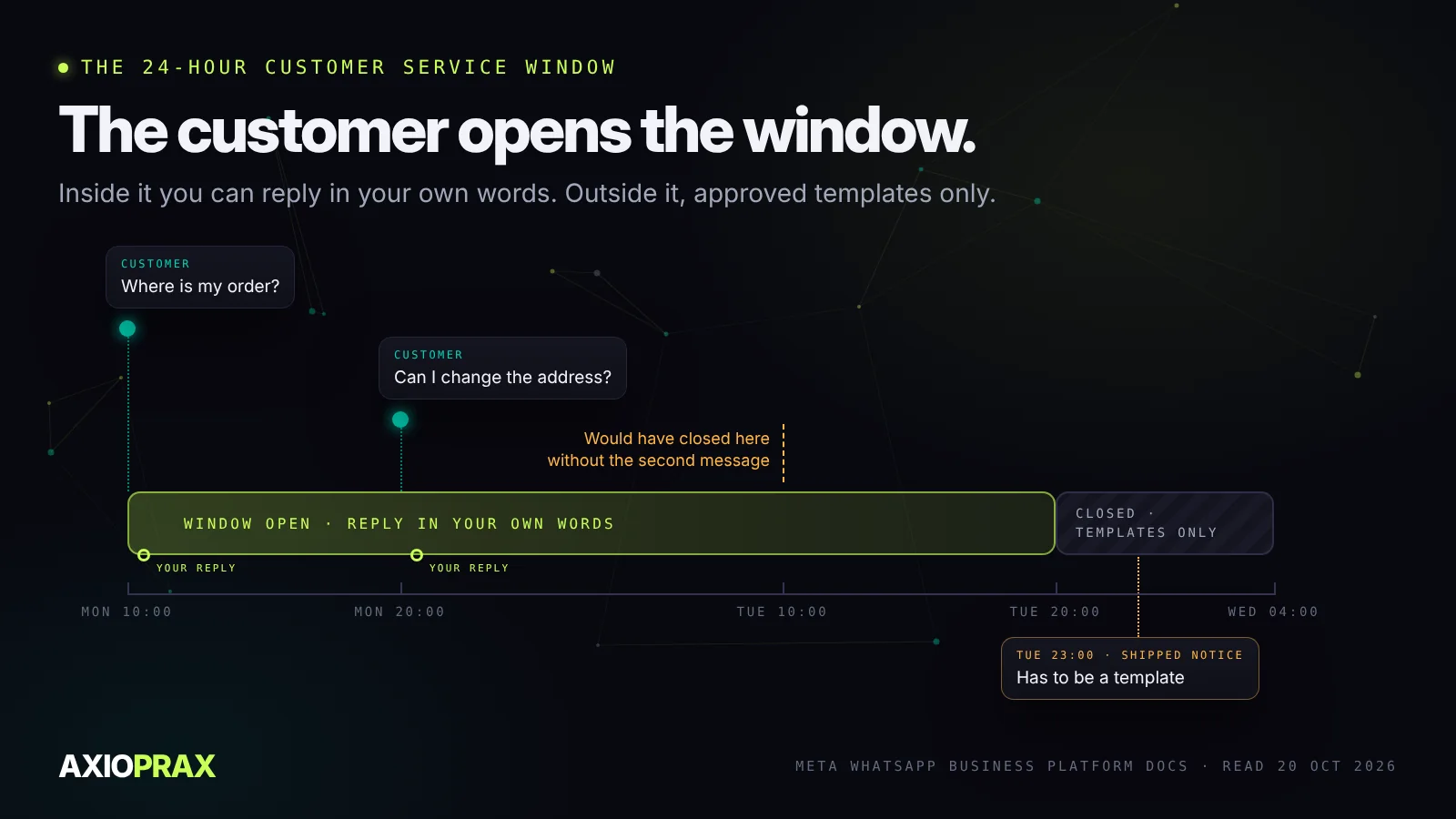
The 24-hour window. When a customer messages or calls you, a 24-hour window opens, and every new message from them resets the clock. Inside it you can reply in your own words. Once it closes, you're back to templates.
What changed on 1 October 2026
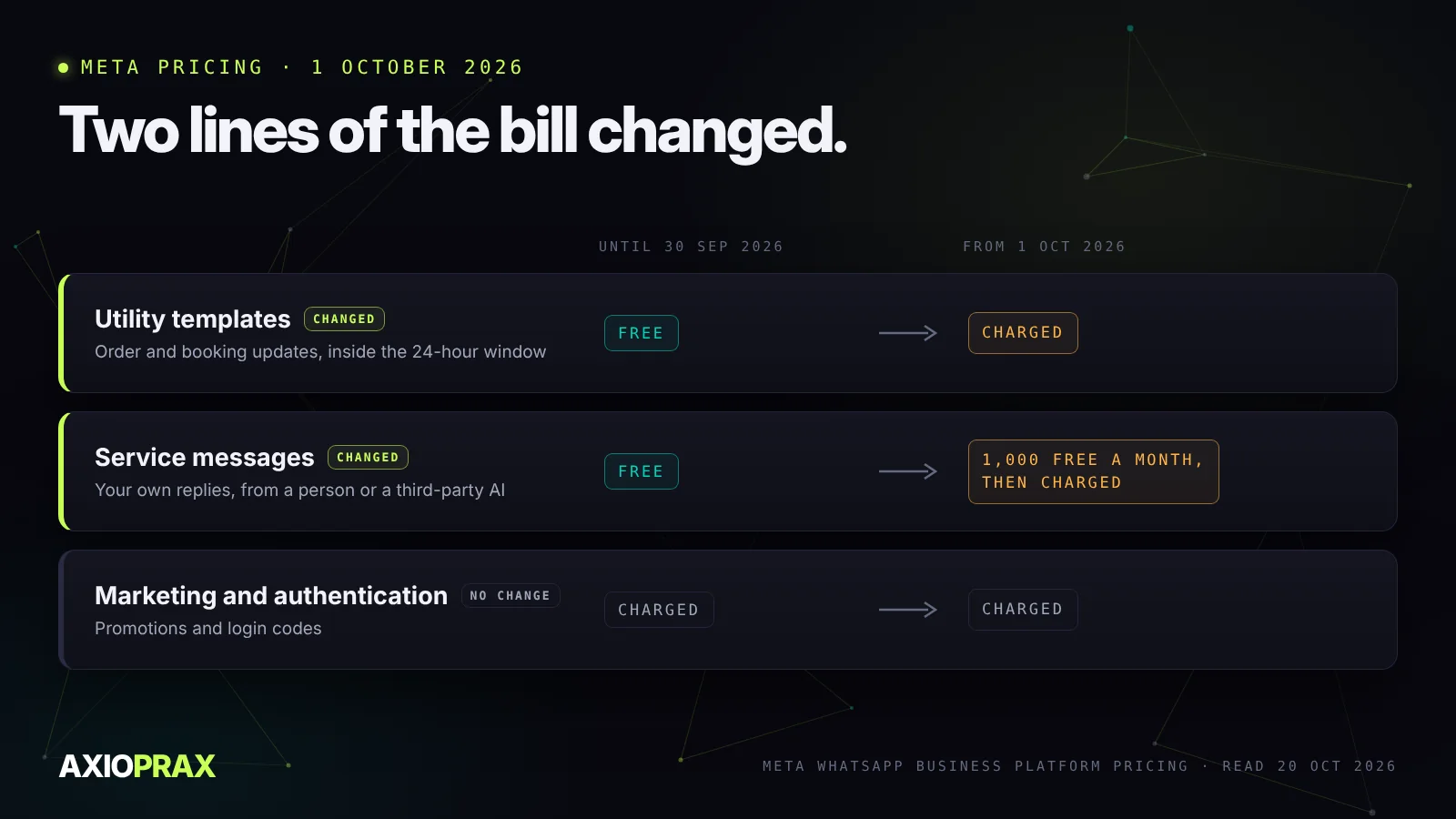
Meta has charged per delivered message since July 2025. The rate depends on the kind of message and on the country of the person receiving it. Then on 1 October 2026, two things that used to be free stopped being free (Meta's pricing documentation):
| Message | Until 30 September 2026 | From 1 October 2026 |
|---|---|---|
| Utility template inside the 24-hour window | Free | Charged at the utility rate |
| Service message (your own reply, typed by a person or written by a third-party AI) | Free | 1,000 free a month per business number, then charged. Unused ones don't roll over. |
| Marketing and authentication templates | Charged | Charged |
One free route is left. If someone taps a Click to WhatsApp ad in the mobile app and you reply inside the window, that conversation is free for up to 7 days.
In plain terms, if your store sends a WhatsApp message for every tracking scan, you now pay for every one of them. That's not a reason to stop. It's a reason to be choosy. Meta lists the rate for each country on the same page, and a solution provider, if you use one, may add its own fee on top.
What you need before you start
- A Meta Business account
- A business phone number registered on the platform
- Access, either directly through Meta's Cloud API or through a Business Solution Provider
- An approved template for every message you'll send first
- Somewhere to record each customer's WhatsApp opt-in
Order updates for a Shopify store
This is where we'd start almost any store, because it answers the question customers would otherwise email you about: where's my order?
Shopify keeps a record of each step a shipment goes through, called fulfilment events. The statuses include IN_TRANSIT, OUT_FOR_DELIVERY, DELIVERED, DELAYED and FAILURE (Shopify's developer docs). A workflow can watch for those, and each time one comes in:
- Check the customer opted in to WhatsApp. If they didn't, stop there and let email do the job.
- Pick the approved utility template that matches the status.
- Send it through the Cloud API or your provider.
- Leave a note on the order saying what went out and when.
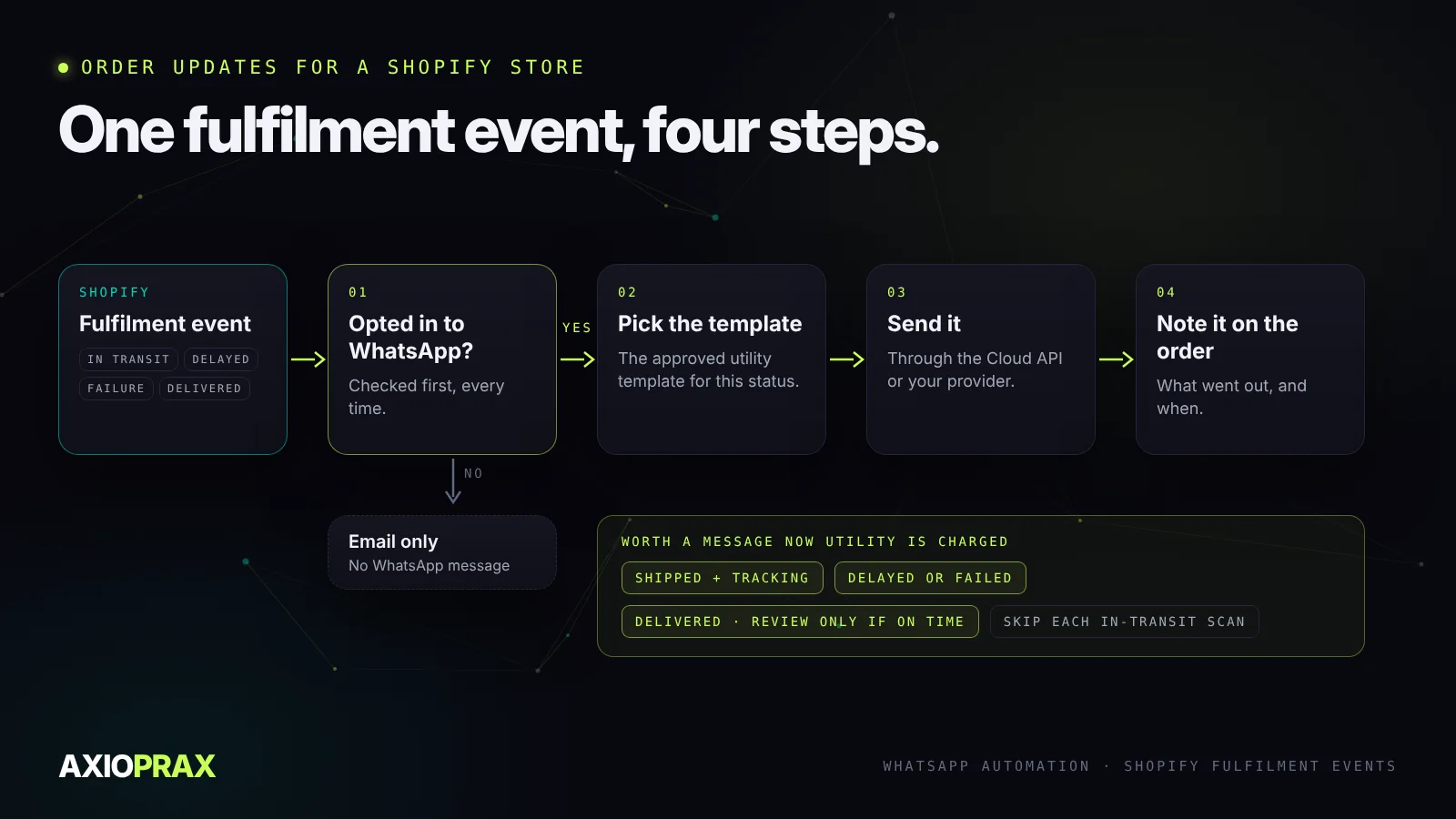
Now that utility messages cost money, we wouldn't send all of them. Our shortlist:
- Shipped, with the tracking link. People expect this one.
- Delayed or failed. This is the message that saves you a support ticket.
- Delivered. And only ask for a review if the order actually arrived on time. Asking someone whose parcel was late to rate you is a quick way to collect one-star reviews.
You can build this with a Shopify app or with a workflow tool like n8n. If you're weighing those up, our n8n vs Zapier piece runs one store order flow through both.
It works the other way round too. A short message to the owner each morning, with yesterday's sales against a normal day, low stock and anything shipped late, is a lot harder to ignore than an emailed report.
AI replies on WhatsApp
An AI assistant can take the questions that come in all day inside the 24-hour window: delivery times, returns, sizes, where's my parcel. Under the October rules its replies count as service messages, so the first 1,000 a month per number are free and after that you pay.
Two things we'd insist on. It answers only from your own policies and order data, and it hands over to a person cleanly when it's out of its depth. Building an AI chatbot for a Shopify store goes into the data side.
If you only do one thing
Set up the delayed or failed delivery message. One template, it only fires when something has gone wrong, and it replaces an email you'd otherwise write by hand. Once that's running, add shipped and delivered.