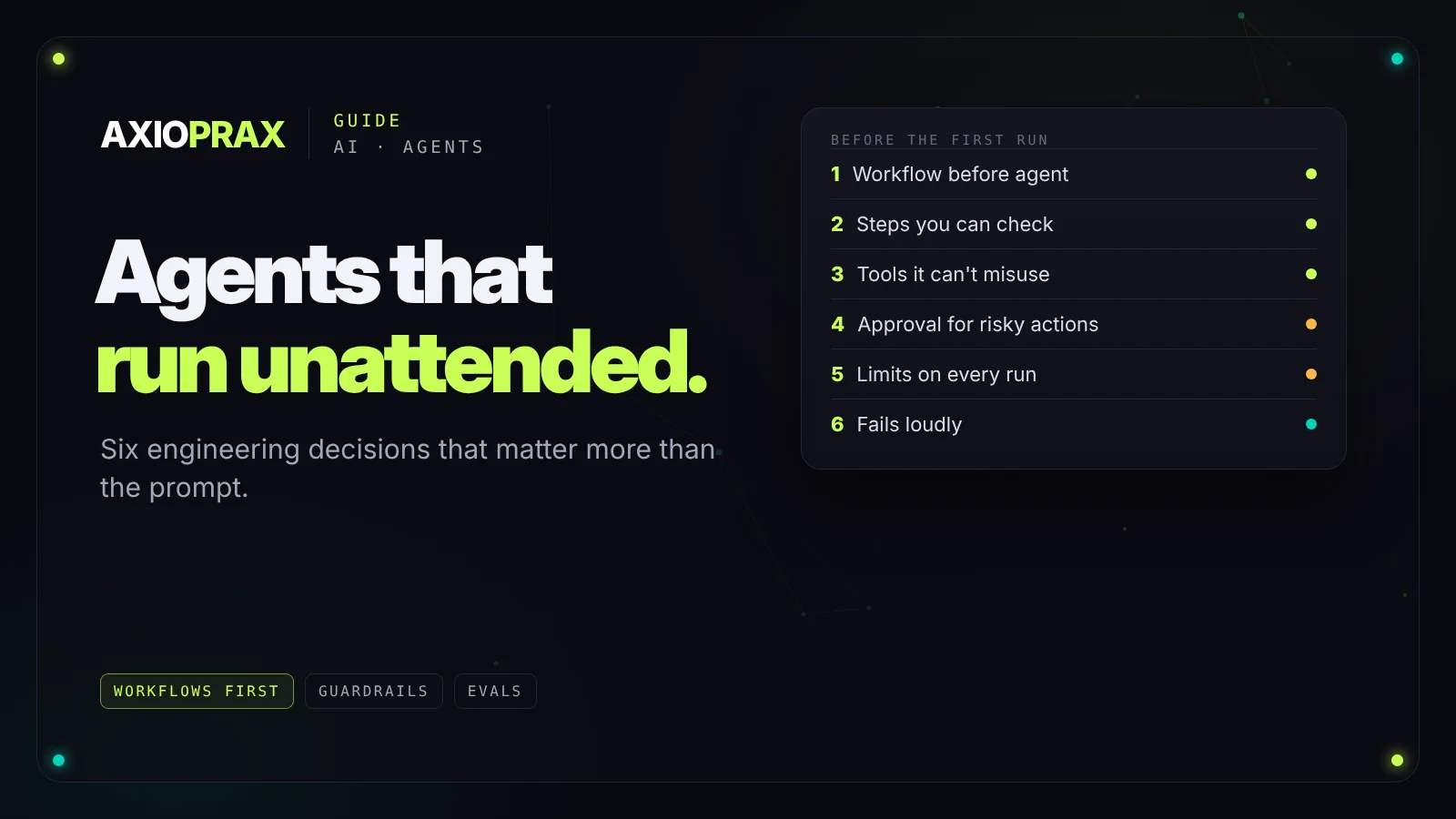
An AI agent that impresses in a demo and one that runs your operations unattended are different things. The demo shows the happy path. Production is everything else: the input in the wrong format, the API that times out, the task that can't be finished because something upstream changed.
Most of what makes an agent reliable isn't clever prompting. It's a handful of engineering decisions made before the first run. Here they are, starting with the one most teams skip: whether you need an agent at all.
Start with a workflow, not an agent
Anthropic draws a useful line. In a workflow, the model and its tools follow paths you've written in code. In an agent, the model decides its own steps and which tools to use. Their advice is to find the simplest solution that works and add complexity only when it's needed, because agents trade cost and speed for flexibility, and their errors can compound (Anthropic).
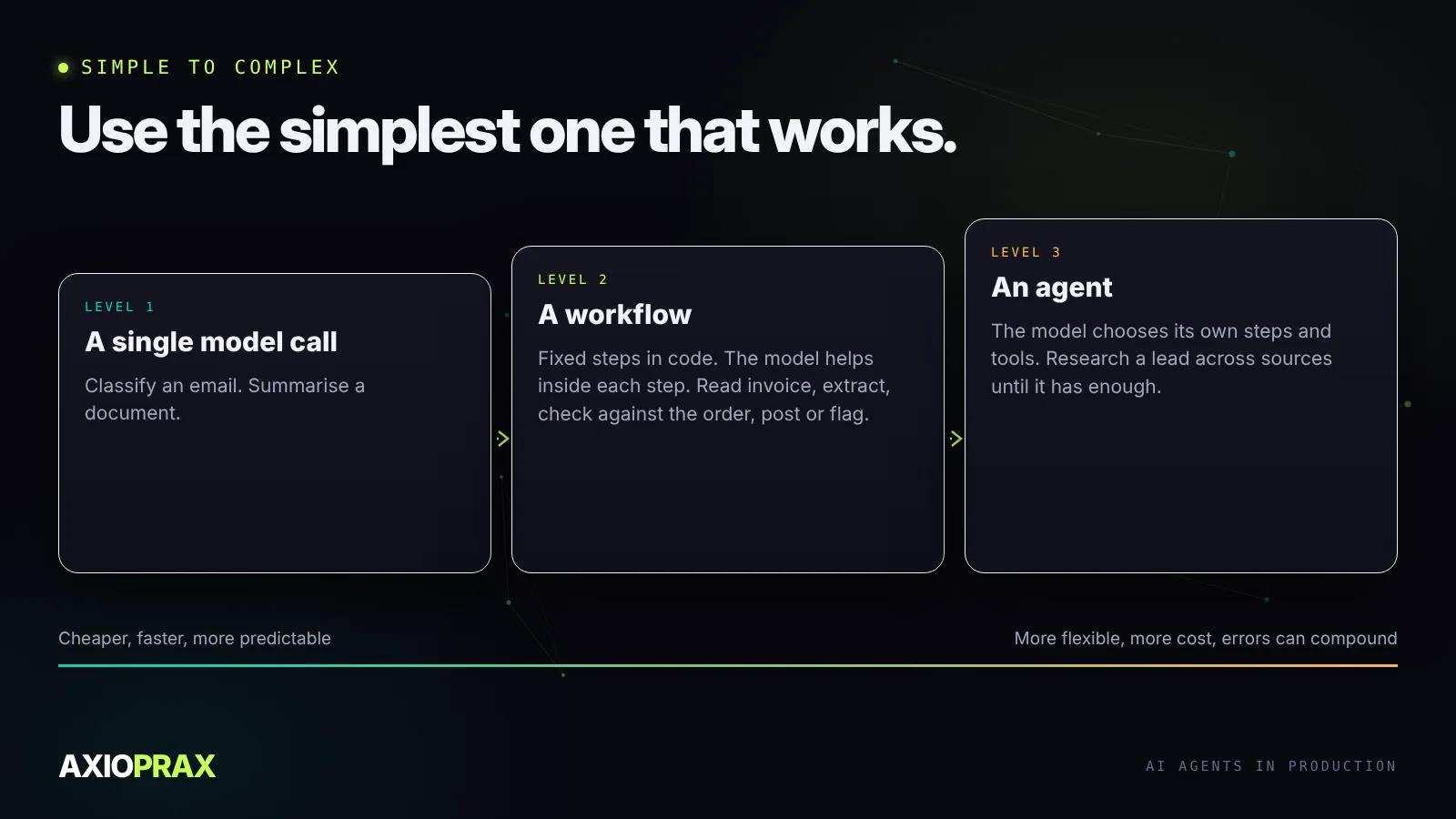
In practice, most business tasks are workflows. Processing an invoice follows the same steps every time, and the model's job is to read and judge within each step. Research that needs to follow leads across sources, where the next step depends on what the last one found, is where an agent earns its place.
Break the task into steps you can check
Give an agent one broad instruction and it makes dozens of small decisions about scope and format, differently on every run. Give it a sequence of defined steps, each with an expected input, an expected output and a clear failure condition, and you get consistent results.
It also makes problems fixable. "Which step went wrong?" has an answer. "Why did the agent do the wrong thing?" usually doesn't.
Design tools the model can't misuse
Anthropic recommends putting as much care into the interface between the model and its tools as you'd put into a screen for people: clear names, descriptions written like documentation for a new colleague, and arguments shaped so mistakes are hard to make.
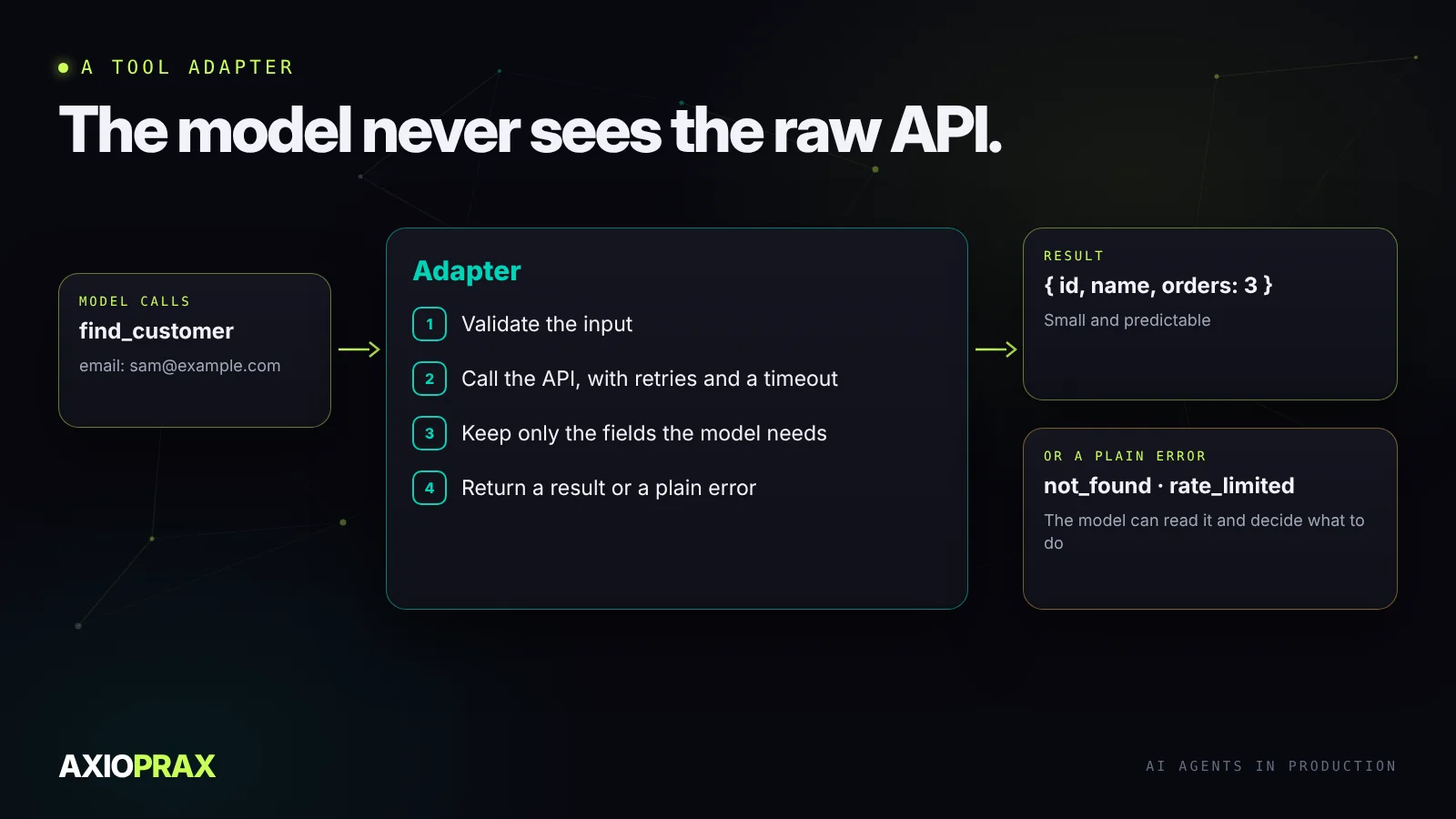
The pattern we use is a thin adapter around every external system. The model never calls the raw API. It calls an adapter that checks the input, makes the call, turns the response into a small, predictable shape and returns errors as plain results the model can read, instead of crashing.
Decide where a person approves
Whether an agent needs approval for an action is a decision to make before launch, based on two questions: how much does it cost if this is wrong, and can it be undone?
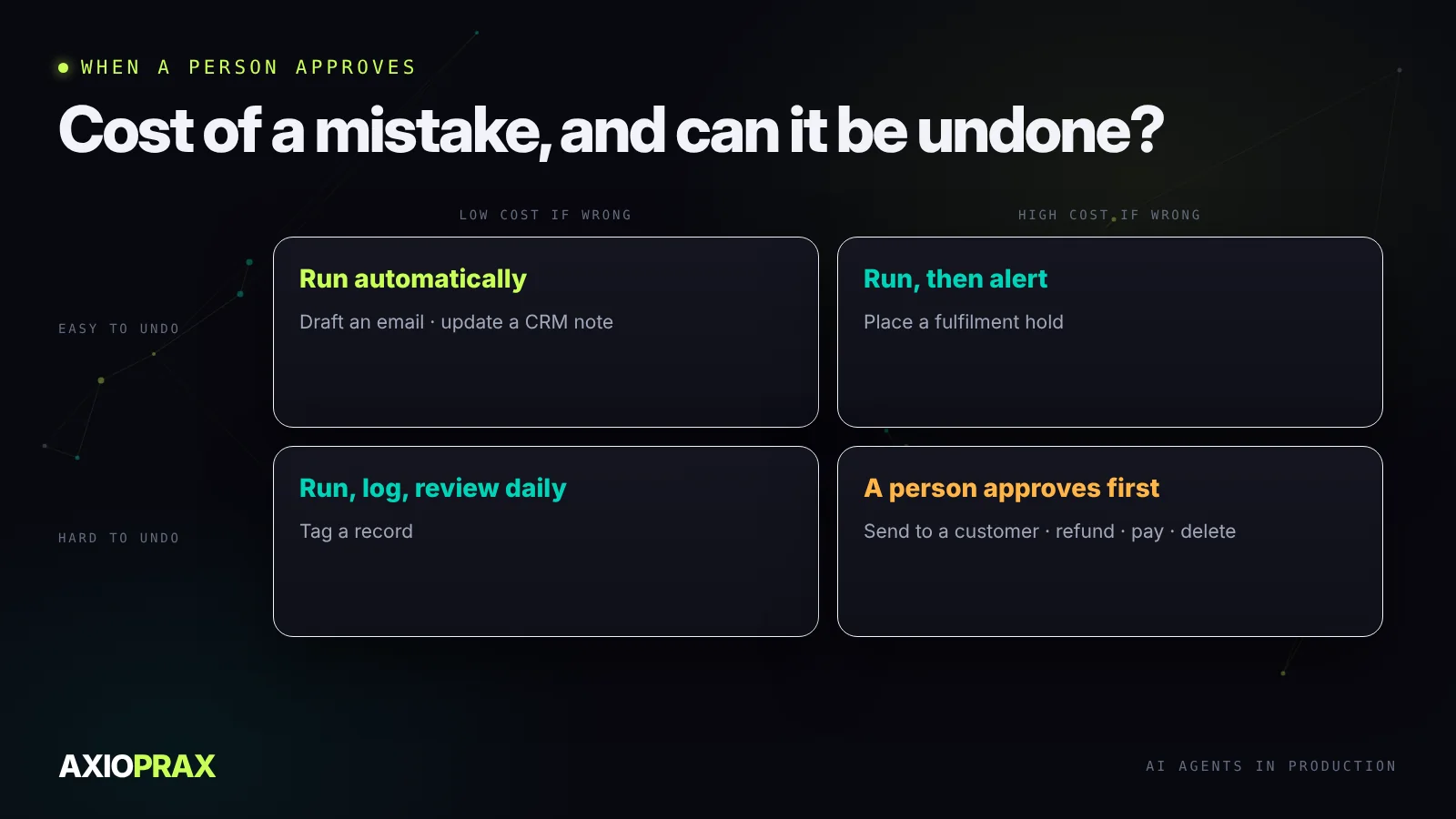
Drafting an email or updating a note can run on its own. Sending to a customer, issuing a refund, paying a bill or deleting a record should wait for a person. Holding an order sits in between: it's easy to undo, so it can run and tell someone. That's the pattern in our Fraud Hold demo build, where a rule holds a risky order and only a person releases it.
Put limits on every run
An agent that gets the right answer after forty tool calls when five would do is still a problem. Costs and waiting times add up. Set a maximum number of steps and a cost ceiling per run, and when the agent hits either, it should stop and say so rather than keep going.
Make failure obvious
The most dangerous agent is one that fills a gap with something plausible. When it doesn't have what it needs, it should return a clear "couldn't complete" with the reason, not a guess that looks finished.
Log every tool call with its inputs and result. Before launch, build a test set from real past cases, including the awkward ones, and run it after every change to the prompt or tools. An agent is ready when it passes that set reliably and fails loudly on the cases it can't handle.
Where to go next
Agents usually connect to other systems through a standard such as MCP, which our guide to MCP as an integration layer explains. For the code that holds an agent together, prototype to production covers what to check before it goes live.