An AI assistant that can read your calendar, look up a customer and update a record has to connect to three systems, each with its own login, data format and quirks. For years, every one of those connections was built by hand, separately for each AI product.
The Model Context Protocol, or MCP, is the open standard that changed that. Here's what it is, who supports it now, where it fits in a real system, and the security questions to ask before you connect anything to it.
What MCP is
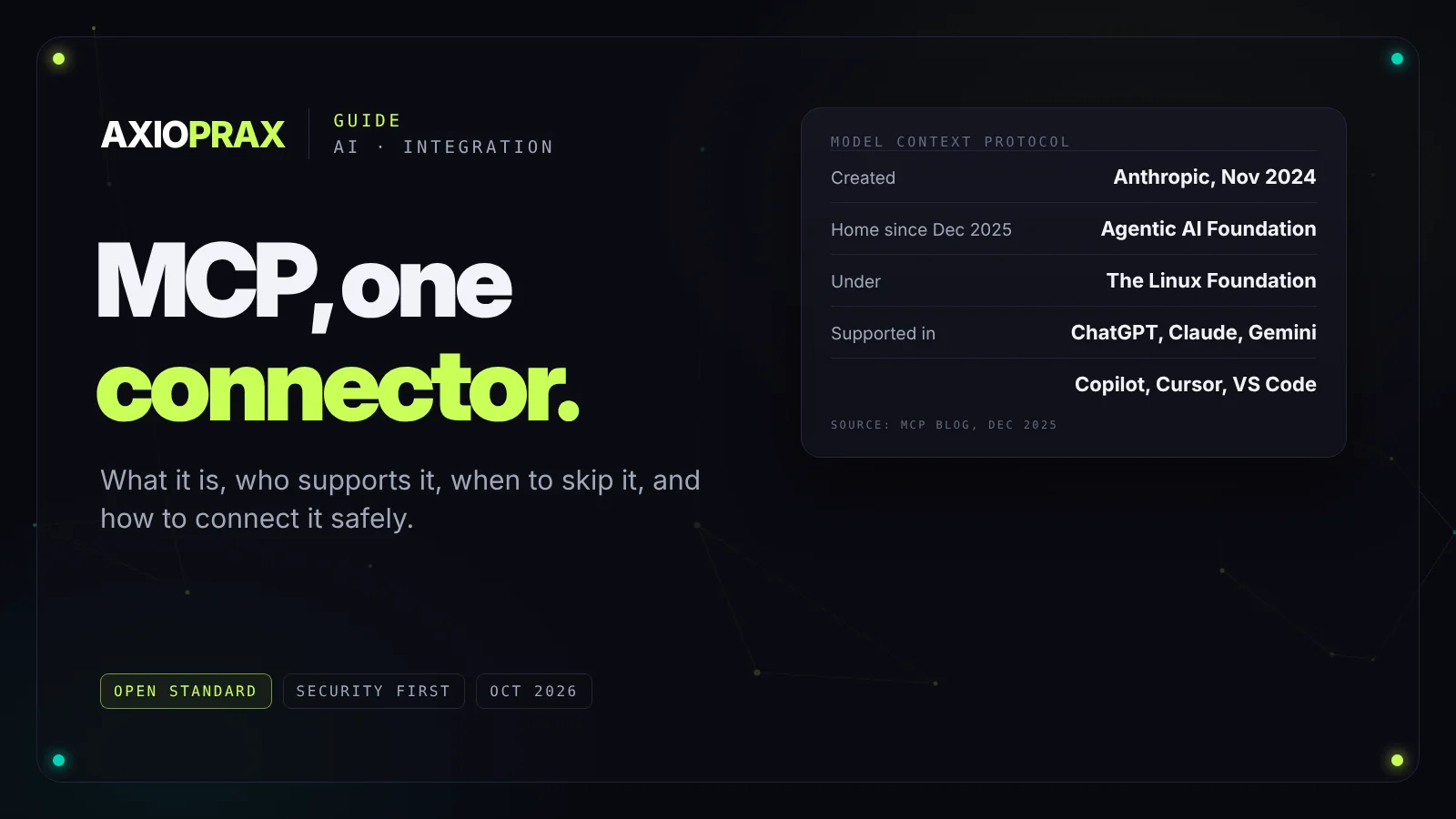
Anthropic introduced MCP in November 2024 as an open protocol for connecting AI applications to tools and data. In December 2025 it was donated to the Agentic AI Foundation, a fund under the Linux Foundation, co-founded by Anthropic, Block and OpenAI. At that point MCP was supported in ChatGPT, Claude, Cursor, Gemini, Microsoft Copilot and Visual Studio Code, with more than 10,000 active servers (MCP blog).
So it's no longer one company's proposal. It's the common way AI tools connect to other systems.
What it solves
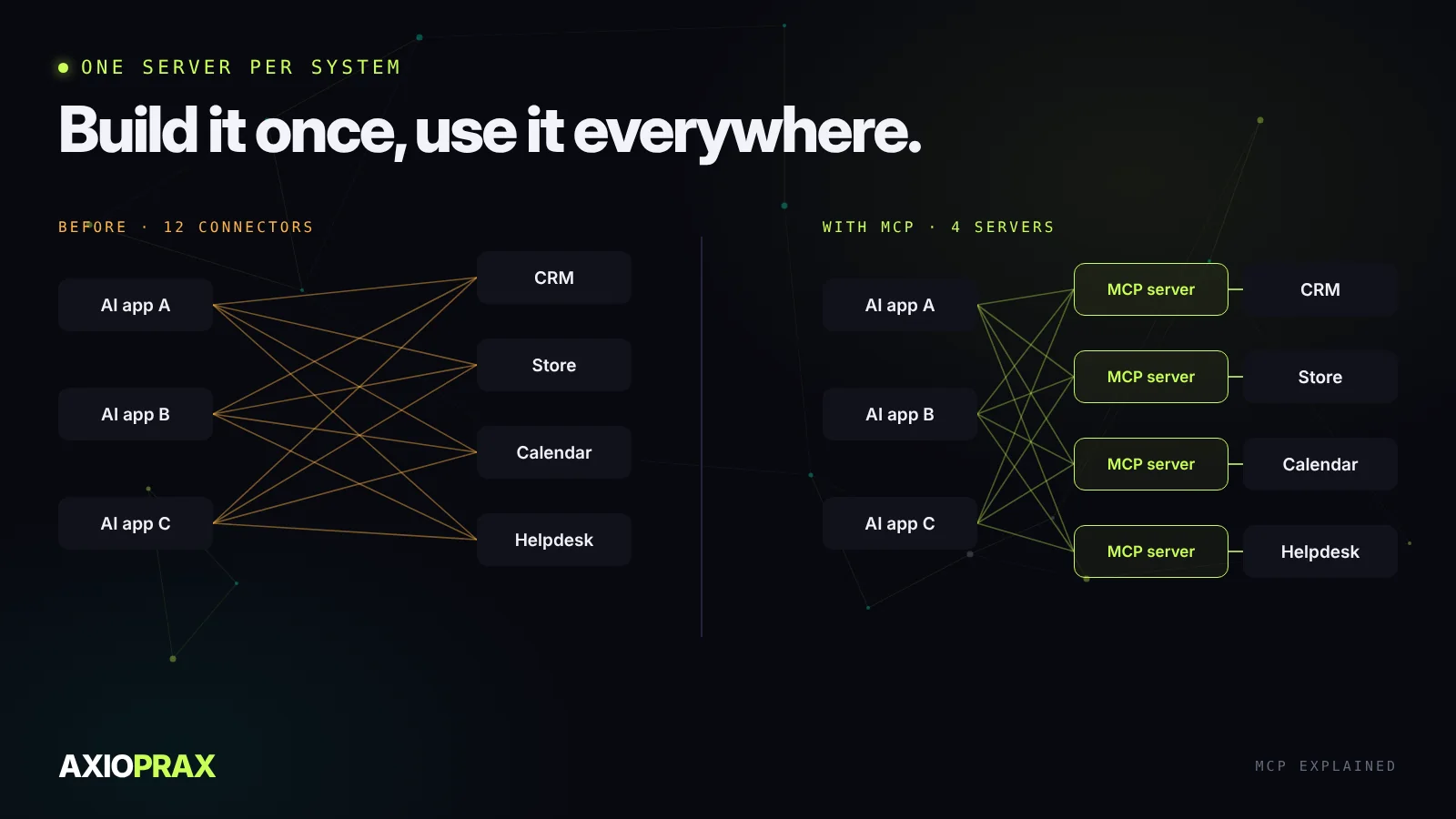
Without a standard, every AI app needs its own connector to every system. Five AI tools and ten business systems means up to fifty separate integrations, each maintained on its own. With MCP, each system is wrapped once in an MCP server, and any AI app that speaks MCP can use it.
How it works
An AI application, the client, talks to MCP servers. Each server sits in front of one system and offers three kinds of thing:
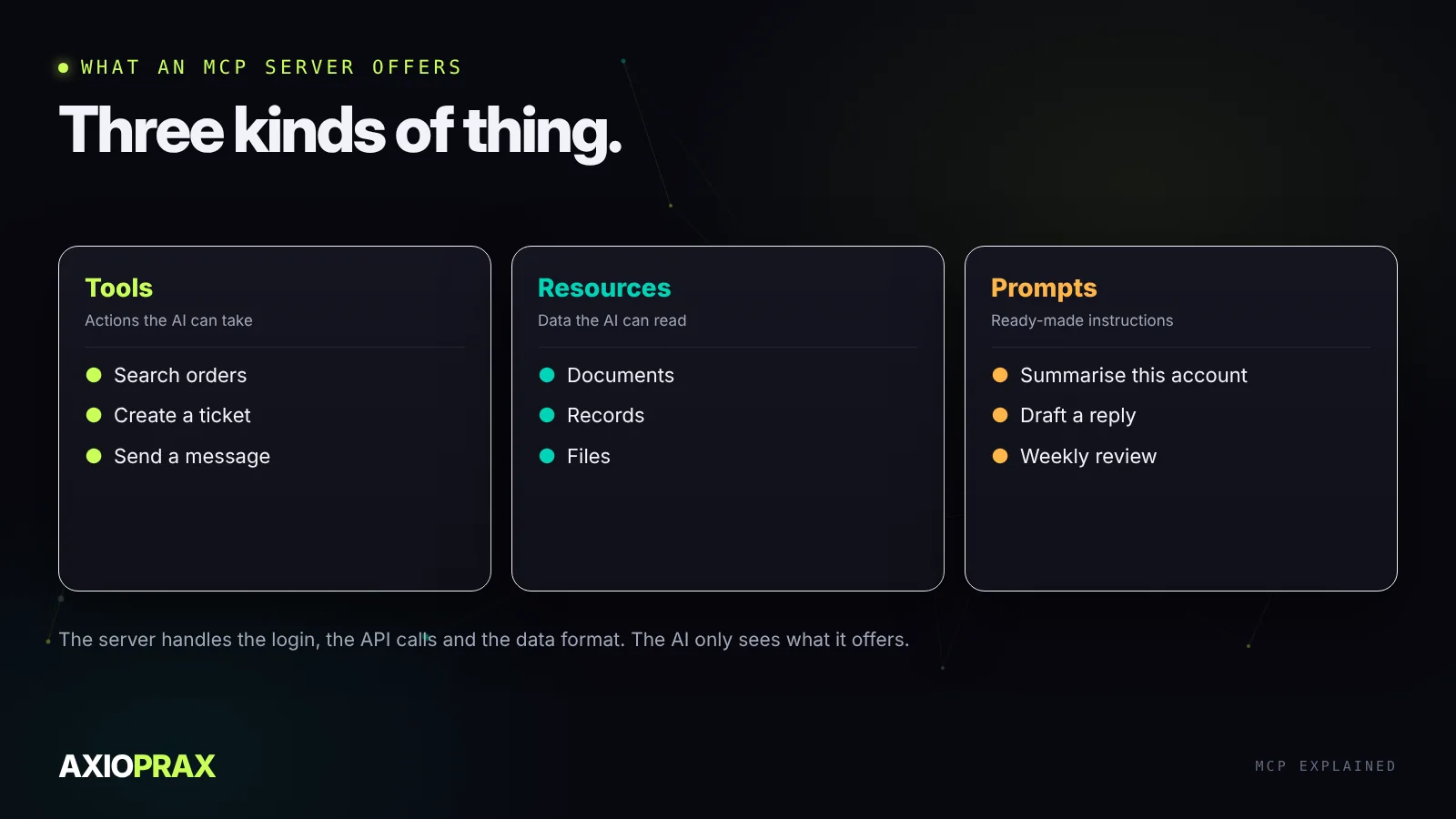
- Tools are actions the AI can take: search orders, create a ticket, send a message.
- Resources are data it can read: documents, records, files.
- Prompts are ready-made instructions for common jobs with that system.
The server handles logging in, calling the API and shaping the response. If the system's API changes, you update the server, and every AI app using it keeps working.
You can see this in commerce already. Shopify publishes Storefront MCP, which lets an AI assistant search a store's catalogue, manage a cart and answer policy questions, with a separate server for customer orders and returns (Shopify.dev). Our Shopify chatbot guide shows where that fits.
When MCP is worth it, and when it isn't
MCP pays off when several AI tools need the same systems, when you want to change AI providers without rebuilding connections, or when a vendor already publishes a server you can use.
For a single job that calls one API in one way, it's often simpler to call that API directly from your workflow. An n8n workflow that posts a Slack message when an order fails doesn't need MCP. Pick MCP when the connection will be reused, not because it's new.
Security comes first
Connecting an AI to your systems gives it the power to act in them, so treat every server like a new employee with keys. The OWASP MCP security cheat sheet lists the main risks: instructions hidden in tool descriptions or tool results, servers that change their tools after you approved them, permissions far broader than the job needs, and data leaking out through ordinary-looking tool calls (OWASP).
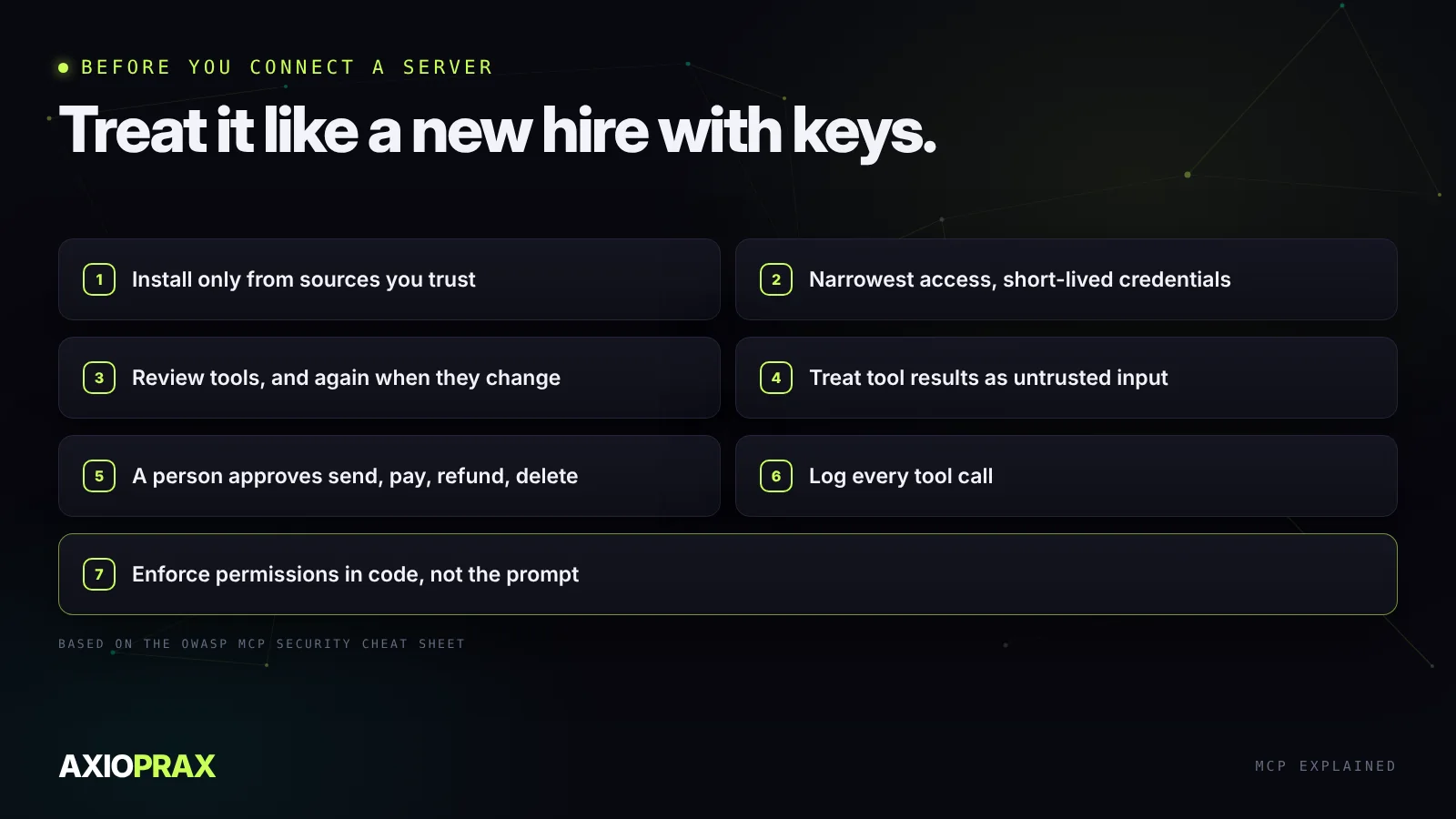
The practical rules: install servers only from sources you trust, give each one the narrowest access it needs, review its tools again when they change, treat anything a tool returns as untrusted, require a person's approval for sending, paying, refunding or deleting, and log every call. Most important, enforce permissions in your own code. Don't rely on the AI to police itself.
Where to start
List the systems your team would want an AI assistant to use, and check which already have an official MCP server. Start with read-only access to one of them, watch the logs for a few weeks, and add actions only once you trust what you see. For the wider design of systems that act on their own, see building AI agents that work in production.