Every automation pitch promises a big return. Very few show the arithmetic. The good news is that you don't need a consultant to work out whether an automation is worth building. You need about ten minutes, a calculator, and honest numbers from your own store.
This guide walks through that calculation, where the revenue side is real and where it's guesswork, how to decide what to automate first, and the cases where automation isn't worth it at all.
The calculation
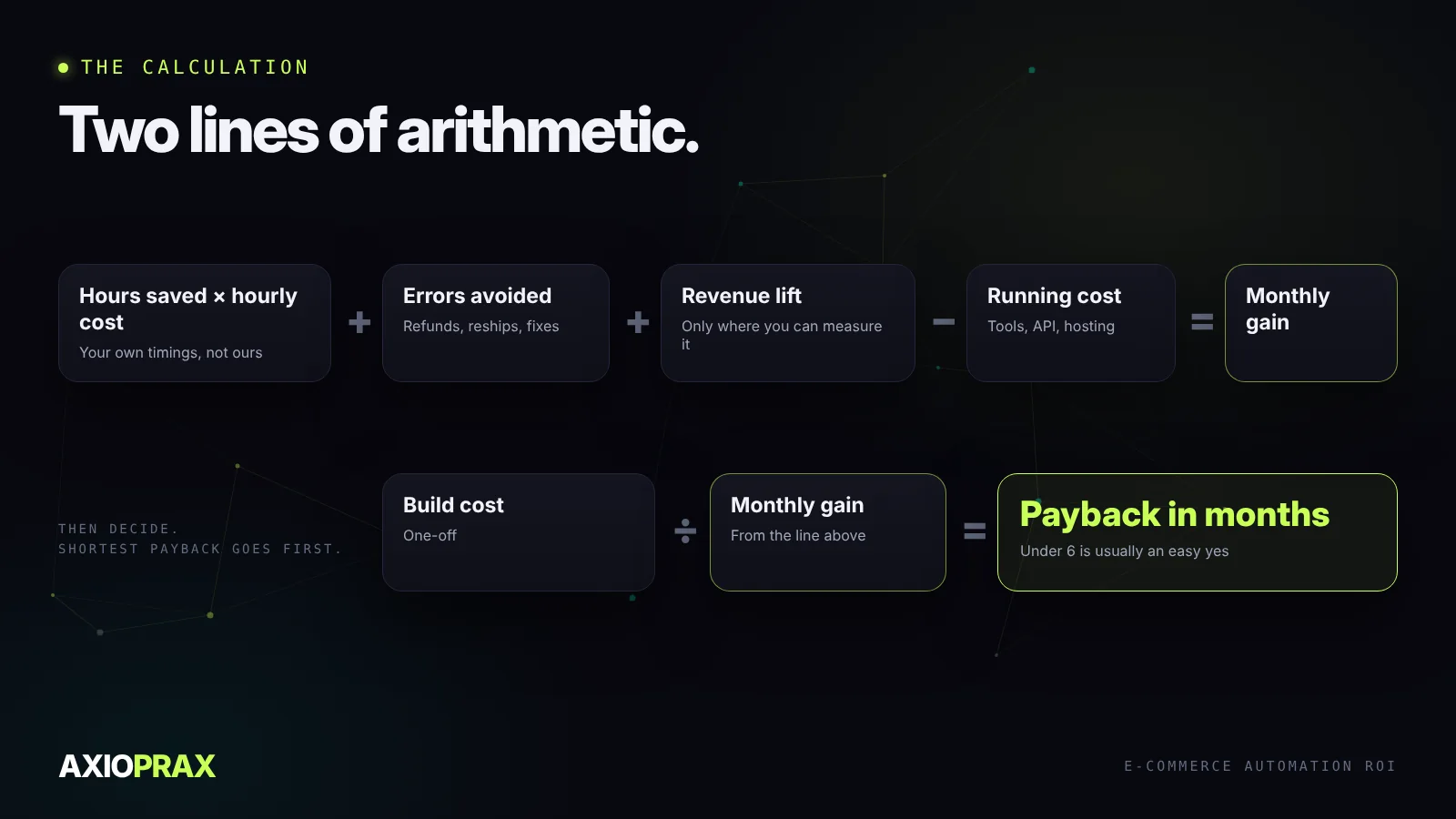
An automation earns its keep in three ways: it saves time, it prevents mistakes, and sometimes it brings in revenue. Against that you set what it costs to run each month. Then divide the cost of building it by what it gains you each month, and you know how long it takes to pay for itself.
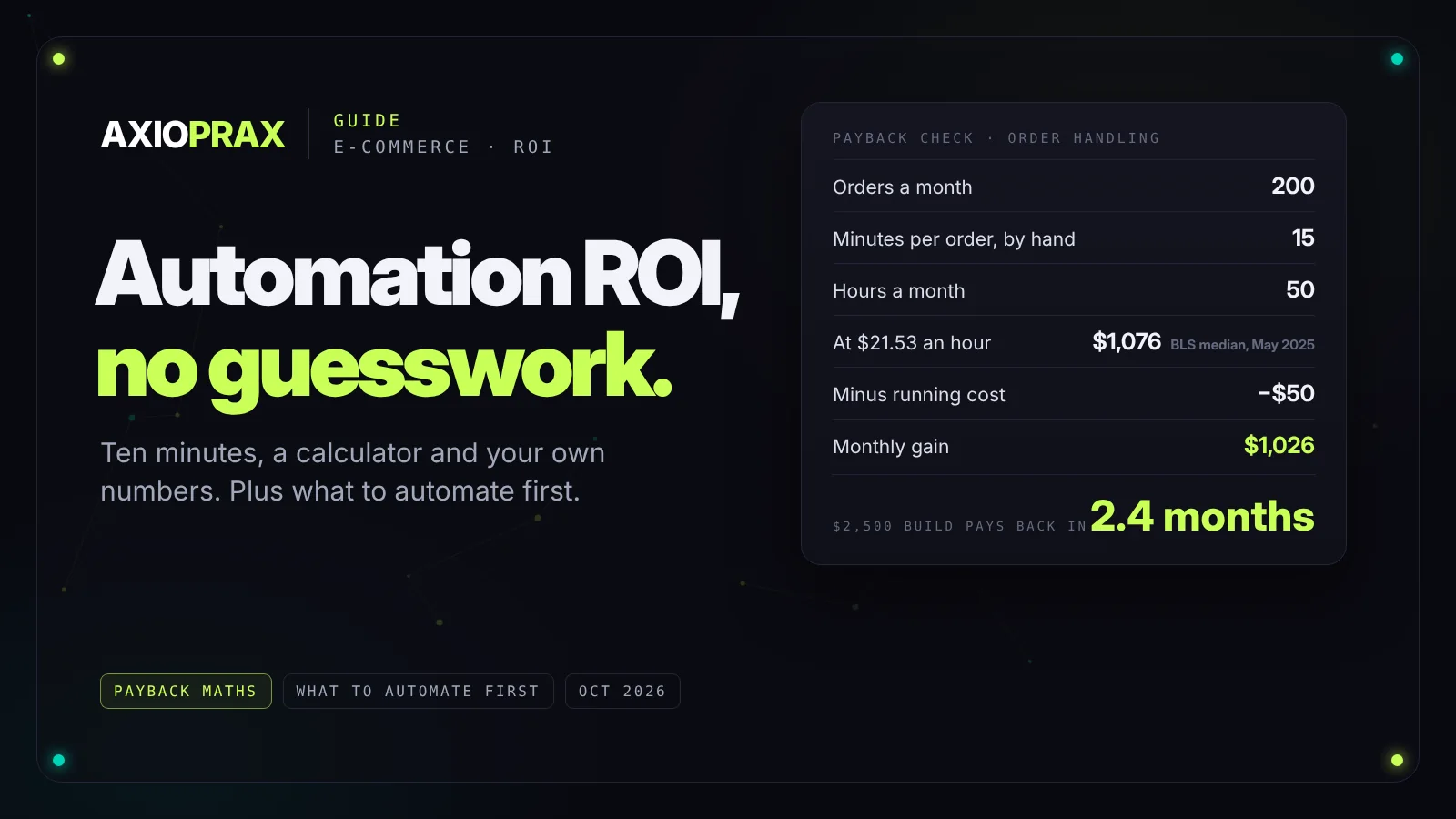
Here's a worked example. Say someone on your team spends 15 minutes on each order: checking it, tagging it, copying details into the shipping tool and a spreadsheet. At 200 orders a month, that's 50 hours.
For the hourly cost, the US Bureau of Labor Statistics puts the median wage for customer service representatives at $21.53 an hour in May 2025 (BLS). That's wages only, before benefits or overheads, so it's a conservative figure. 50 hours at $21.53 is about $1,076 a month.
Take off running costs, say $50 a month for the tools the automation uses, and you're gaining about $1,026 a month. A build that costs $2,500 pays for itself in under three months. If it costs $10,000, it takes nearly ten, which may still be worth it, but now it's a real decision rather than an obvious one.
Two things to watch. Use your own numbers, not ours. And time saved only counts if that person does something more useful with it. If the 50 hours just disappear into the week, the saving is real but nobody will feel it.
Where the revenue side is real
Revenue lift is where most ROI claims get wishful. The one area with solid evidence is automated email. Klaviyo's 2026 benchmarks, drawn from more than 183,000 of its customers, found that automated flows such as welcome, abandoned cart and post-purchase emails generate nearly 41% of email revenue from just 5.3% of sends (Klaviyo). That's vendor data, so treat it as a strong signal rather than a promise, but it matches what most store owners see once those flows are switched on.
Elsewhere, count revenue only when you can measure it. A review request that goes out after delivery can be measured in reviews collected. "Better customer experience" can't, so leave it out of the sum.
What to automate first
One question tells you whether a process is ready to be automated: can you write down every step on paper? Not a rough description. Every step, including what happens when something goes wrong. If you can't, the automation will be built on guesses, and guesses break.
After that, look for four things together:
- Repetitive. It happens the same way every time.
- Rule-based. The decisions follow clear rules, not judgement.
- High volume. It happens often enough for the time to add up.
- Documented. You've written the steps down, as above.
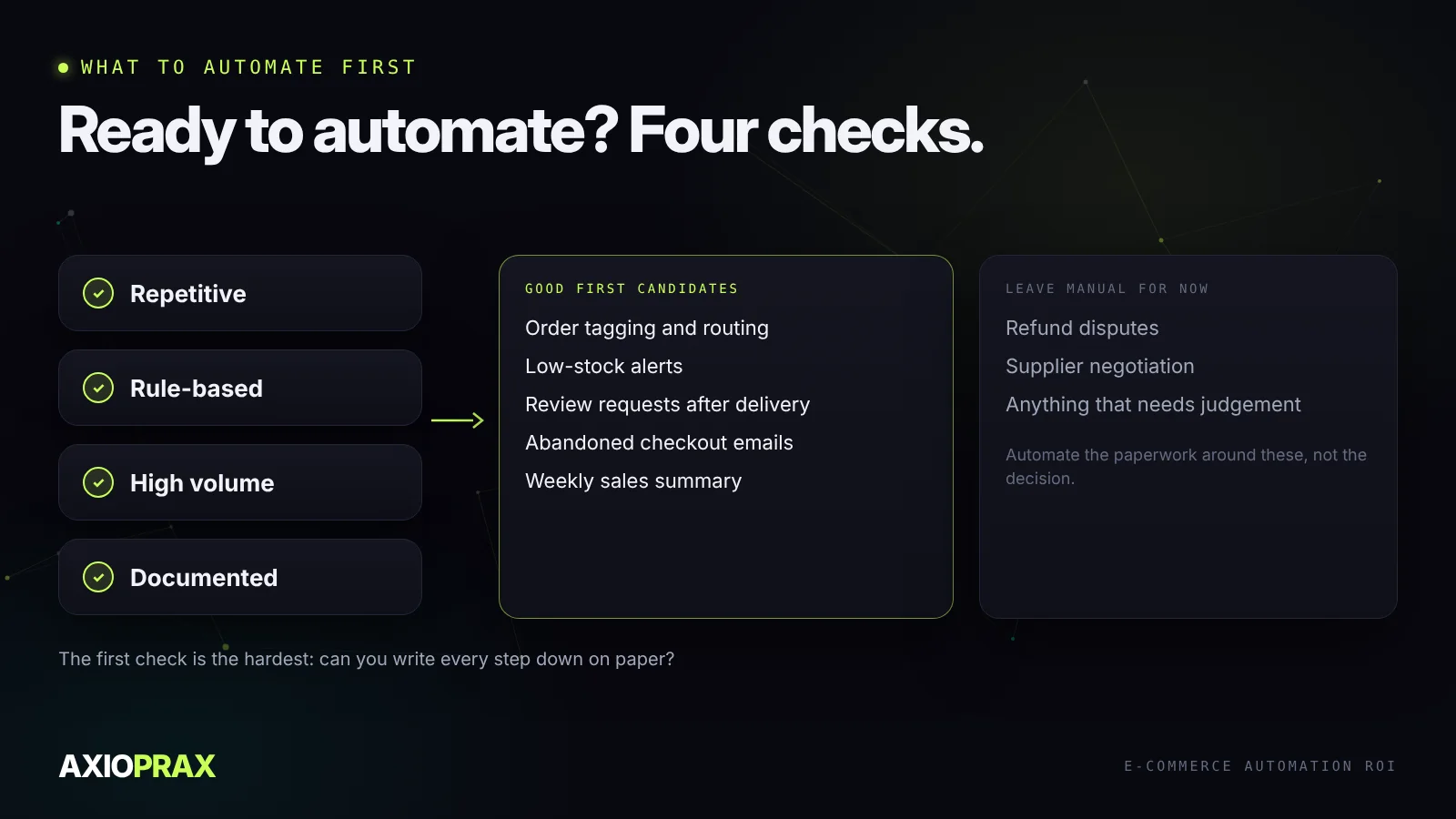
In most online stores, the best first candidates are order tagging and routing, low-stock alerts, review requests after delivery, abandoned checkout emails and a weekly sales summary. Leave refund disputes, supplier negotiations and anything that needs judgement with a person for now.
Check what you already have for free
Before you pay for anything, look at what your platform includes. On Shopify, Flow is a free app on the Basic, Grow, Advanced and Plus plans (Shopify), and it can handle a lot of the tagging, alerts and routing above at no cost. Its Send HTTP request action, which lets it talk to other apps, only comes with Grow and above. A free automation still costs setup time, but the payback maths gets very easy when the build cost is close to zero.
What to measure for each automation
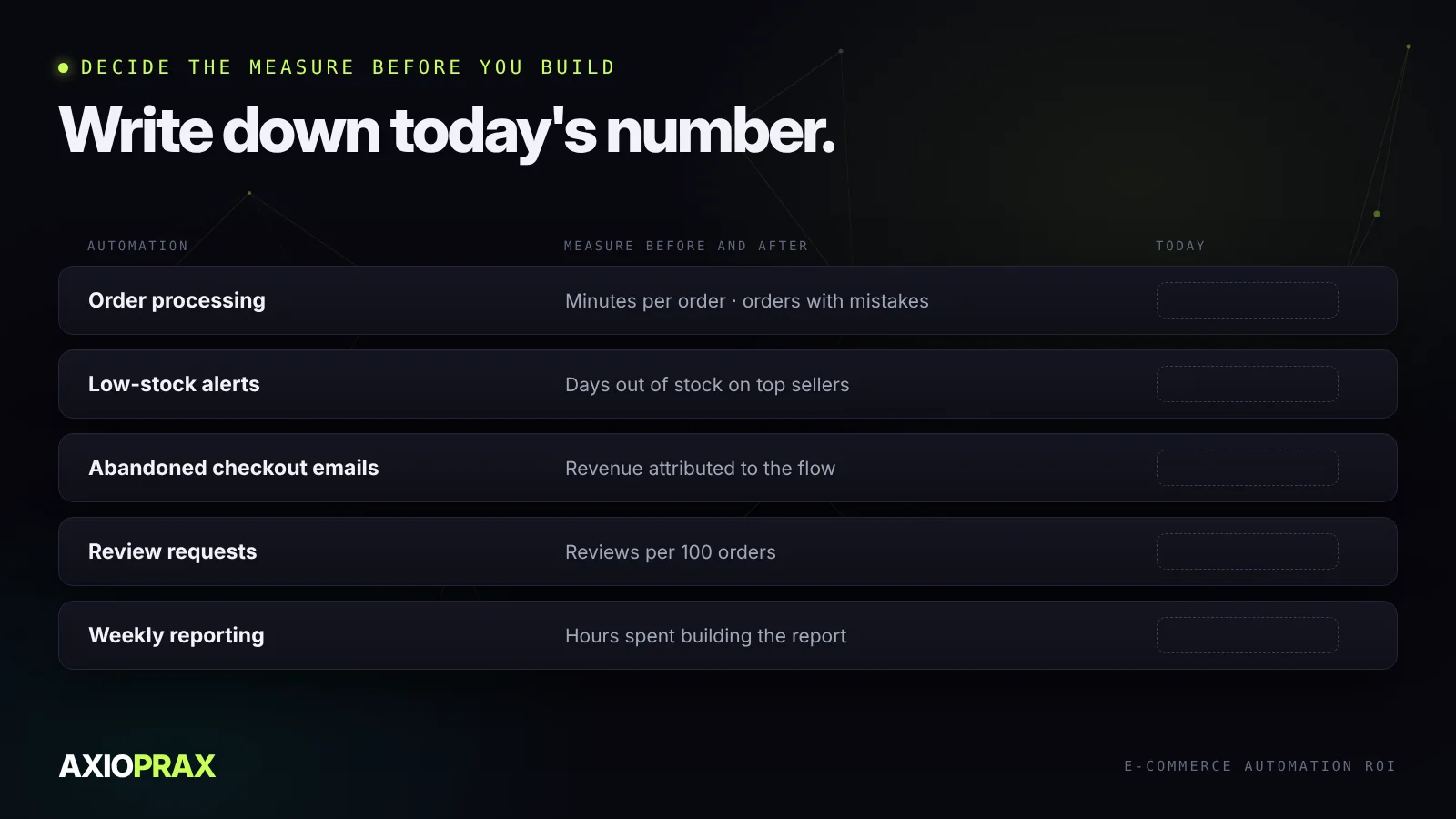
Decide the measure before you build, and write down today's number. Otherwise, three months later, nobody can say whether it worked.
| Automation | Measure before and after |
|---|---|
| Order processing | Minutes per order, orders with mistakes |
| Low-stock alerts | Days out of stock on your top sellers |
| Abandoned checkout emails | Revenue attributed to the flow |
| Review requests | Reviews collected per 100 orders |
| Weekly reporting | Hours spent putting the report together |
When automation isn't worth it
Sometimes the honest answer is no. Skip it, or wait, when:
- The task happens a few times a month. The setup will never pay back.
- The process is still changing. Automate it once it's settled.
- The real problem is upstream. Automating a messy returns process gives you a faster messy returns process.
- It needs judgement on most cases. Keep a person on it and automate the paperwork around them.
Where to start
Write down your three most repetitive tasks, time each one for a week, and run the calculation above on all three. The one with the shortest payback is your first automation. If you'd rather have someone go through the store with you, our Store Ops Audit looks at your current automations, apps and processes and ranks what to fix first by money against effort.